Quick answer
A wireless doorbell camera is a video doorbell that runs on a rechargeable battery and sends video without door wiring, either over your home WiFi to a phone app or, in no-WiFi models, over a direct radio link to an indoor monitor. The right one for you depends on five questions: how you want to see visitors (app or monitor), how much you care about privacy and monthly fees, who in the house will use it, how you will power and mount it, and what you expect it to do. This guide maps all five and links to the in-depth article for each.
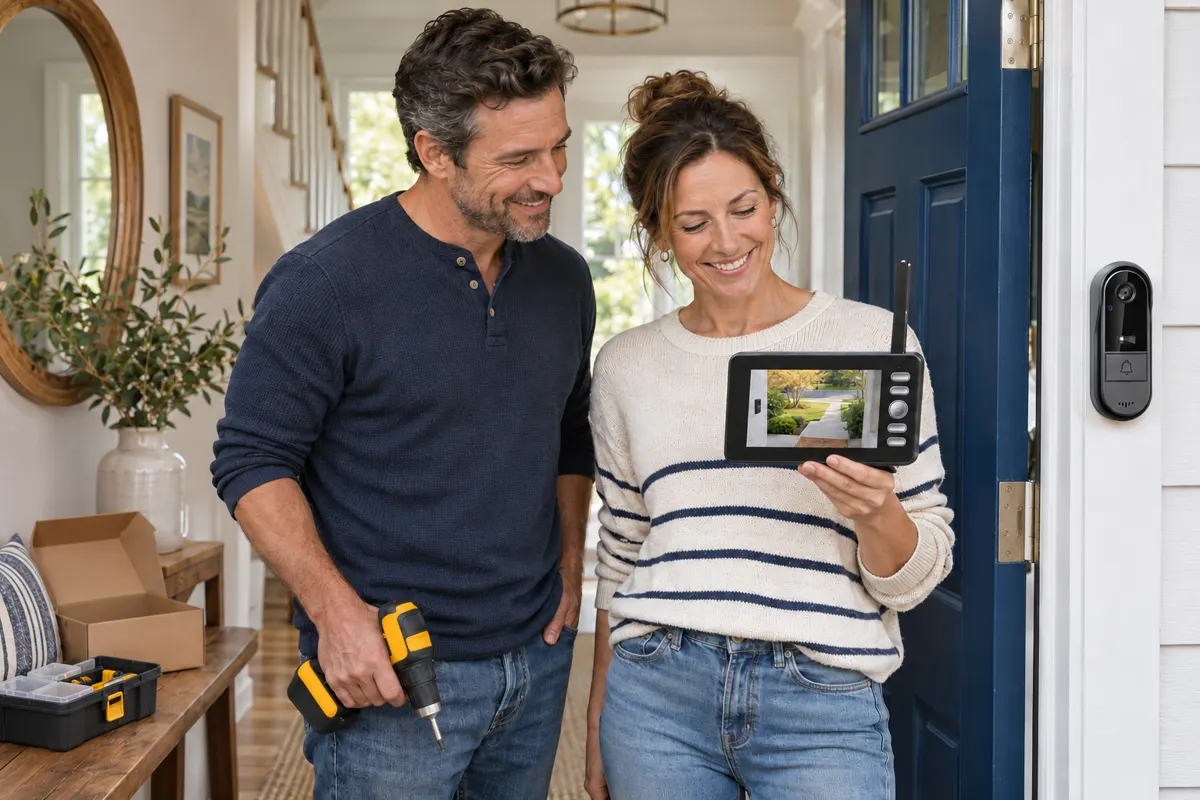
“Wireless doorbell camera” is one of the steadiest doorbell searches in the US, and it hides a lot of different questions. Some people want to know if they can install one without an electrician; others worry about hackers, subscription fees or a doorbell that keeps dropping off WiFi; others are buying for an elderly parent or a rental apartment. We have written a dedicated article on each of those. This page is the map that connects them, so you can jump straight to what you need.
1. The two kinds of wireless doorbell camera
“Wireless” usually means two things at once: no doorbell wiring for power (a rechargeable battery instead) and no cable for the video. Where the video goes is the big split. WiFi doorbells send it through your router to an app and often to the cloud. No-WiFi doorbells send it over a direct radio link to an indoor monitor, with no internet involved. Our guide to wired vs. wireless video doorbells covers the power side, how no-WiFi video doorbells work covers the second type, and what FHSS 2.4G is explains the frequency-hopping link behind it in plain words.
Not sure whether you need a camera at all or just a louder chime? Read wireless doorbell chime vs. video doorbell.
2. Do you need one?
If you often wonder who is at the door, miss deliveries, live alone, have kids who answer the door or simply feel uneasy at unexpected knocks, a camera at the door helps. Our 8-question check gives you a quick answer, and doorbell anxiety covers the emotional side many people never talk about.
3. Monitor or phone app?
An app is handy if you want to check the door from work or on vacation. A monitor is handier if you are mostly at home: it is always on, needs no phone and anyone in the family can use it. We compare the two head to head in video doorbell with monitor vs. app, and if you are still weighing other ways to see who is outside, our ranked list of 7 options includes peepholes and peephole cameras.
| Question | WiFi + app doorbell | No-WiFi doorbell + monitor |
|---|---|---|
| Where you see visitors | Phone app, anywhere with internet | Portable indoor monitor, inside the home |
| Needs WiFi and an account | Yes | No |
| Monthly fee for recordings | Often | No |
| Who can use it easily | People comfortable with apps | Everyone, including kids and seniors |
| Typical weak spot | WiFi drops, app updates | No remote viewing away from home |
4. Privacy, hacking and monthly fees
Anything connected to the internet can be attacked, and cloud video lives on someone else’s server. Our article can video doorbells be hacked? explains the real risks, and doorbell camera without a cloud subscription walks through what the FTC’s 2023 case taught about where doorbell video goes. If cost is the main worry, video doorbells with no monthly fee shows which models truly skip the subscription. And if your current doorbell keeps going offline, start with why video doorbells keep disconnecting from WiFi.
5. Who it is for: seniors, renters and families
The best wireless doorbell camera depends on who answers the door. For older parents, fewer buttons and no app is usually the kinder choice, as explained in the best video doorbell for seniors. Renters need something that mounts without drilling or wiring, covered in video doorbells for renters. Families with children can pair the camera with a simple family door plan. Buying for someone else this season? See is a video doorbell a good gift?
6. Setup, battery and care
Most wireless doorbell cameras go up in under an hour: charge, pair, choose a spot at chest height and mount with adhesive or screws. Our day-one setup guide covers the first week. Batteries need a routine, especially in cold weather, which we cover in when to charge a battery video doorbell. A dusty or fogged lens is the most common reason for a blurry picture, and how to clean a doorbell camera lens includes a one-page care card.
7. What it does for front-door security
A visible camera is one layer, not the whole plan. The evidence on deterrence is discussed in do video doorbells deter burglars?. For the rest of the picture, check your locks and lighting with the 7-question front door self-check, learn the signs your house is being cased, and keep a plan for knocks at night and stolen packages.
8. Realistic expectations
A wireless doorbell camera shows you who is outside and lets you talk without opening the door. It does not replace good locks, and a no-WiFi model does not let you watch from the office. We spell out the trade-offs honestly in what a no-WiFi video doorbell can and can’t do, and our roundup of the best no-WiFi video doorbells compares the options.
Our recommendation: the Vital Smart Door Home
If this map points you toward a wireless doorbell camera that simply works at home, without apps, accounts or monthly bills, the Vital Smart Door Home is the one we recommend. It was built for exactly the answers most readers land on: see the visitor on a monitor, talk without opening, and skip WiFi and subscriptions entirely.
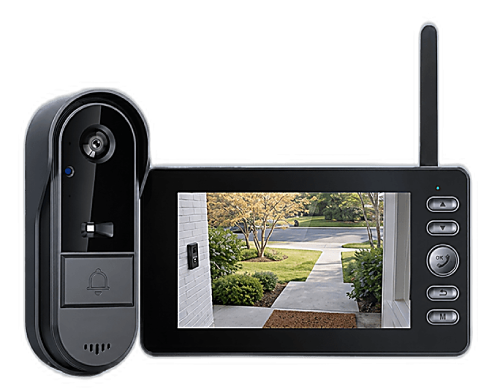
- Truly wireless: a rechargeable camera with no door wiring, mounted with adhesive or screws.
- See and talk from inside: live video on a portable monitor plus two-way audio, with motion detection and infrared night vision.
- Private by design: a direct FHSS 2.4G link between camera and monitor; no WiFi, no app, no account and no monthly fee.
- Easy for everyone: kids, renters and older parents can use the monitor without a phone.
Our full review scores it 4.6/5. Current pricing on the official site: 1 unit US$99.99 (regular US$222.20), or the 2-pack at US$89.99 each (US$179.98 total). Orders ship fast from New Jersey to the USA and Canada, and every purchase is covered by a 30-day money-back guarantee.
Want more background first? Start on our Vital Smart Door Home overview.
Frequently asked questions
What is a wireless doorbell camera?
A wireless doorbell camera is a video doorbell that runs on a rechargeable battery instead of doorbell wiring and sends its video without cables. WiFi models send video to a phone app, often through the cloud; no-WiFi models send it over a direct radio link to an indoor monitor.
Do wireless doorbell cameras need WiFi?
Not all of them. App-based models need WiFi and an account. No-WiFi models, such as those using an FHSS 2.4G link, connect the camera straight to an indoor monitor and work without internet, apps or subscriptions. The trade-off is that you see visitors at home rather than on your phone when you are away.
Do wireless doorbell cameras have a monthly fee?
Many WiFi doorbells charge a monthly plan to save and review video in the cloud. No-WiFi doorbells with a monitor have no cloud and no monthly fee. Always check what works without a plan before you buy.
How long does a wireless doorbell camera battery last?
It depends on the model, how many visitors you get and the temperature. Cold weather and busy doorways drain batteries faster. Charging on a fixed routine, for example every few weeks on the same day, avoids surprises.
Can I install a wireless doorbell camera in a rental?
Usually yes, because there is no wiring. Adhesive mounting avoids holes, and you can take the camera with you when you move. Check your lease and ask your landlord if you are unsure.
Why do you recommend the Vital Smart Door Home?
It is a wireless camera with a portable indoor monitor, two-way audio, motion detection and night vision that works over a direct FHSS 2.4G link with no WiFi, app, account or monthly fee. Official-site prices are US$99.99 for 1 unit or US$89.99 each in the 2-pack, with a 30-day money-back guarantee.