Quick answer
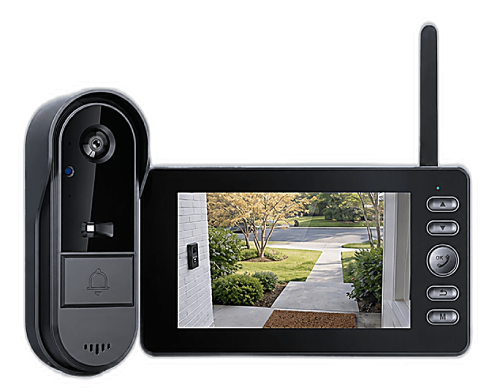
Choose a wired video doorbell if your home already has doorbell wiring and you want constant power for continuous recording. Choose a wireless one if you want to be done in ten minutes, place the camera wherever you like, or take it with you when you move. For most households whose real goal is simply to see and talk to whoever is at the door, wireless wins on practicality. And if you'd rather skip the WiFi, the app and the monthly fee too, our recommendation is the Vital Smart Door Home: a rechargeable wireless camera that talks to a portable indoor monitor over a private FHSS 2.4G link.
Wired vs wireless: what the difference actually is
The terms sound like they describe how the doorbell sends video. They don't. "Wired" and "wireless" describe how the doorbell is powered.
- A wired video doorbell connects to your home's existing low-voltage doorbell wiring (the two small wires behind the old button) and draws power from the transformer, usually in a closet or basement. Some models use an Ethernet cable instead.
- A wireless video doorbell runs on a built-in rechargeable battery. You mount it with screws or adhesive, with no connection to the house wiring at all.
Both types usually still send video over your WiFi to an app. That's the part most comparisons leave out, and we'll come back to it, because for many buyers it matters more than the power source.
The side-by-side comparison
| Factor | Wired doorbell | Wireless doorbell |
|---|---|---|
| Installation | Needs existing doorbell wiring and a compatible transformer; often an electrician if not | Screws or adhesive, done in minutes, no tools beyond a screwdriver |
| Power | Constant, never needs charging | Battery; recharge every so often depending on traffic |
| Placement | Fixed where the wiring is | Anywhere: side door, gate, apartment hallway |
| Continuous recording | Possible on some models | Rare; event-based clips to save battery |
| Cold weather | Unaffected | Battery runtime shortens in deep cold |
| Power outage | Stops working | Keeps working on battery |
| Renters and movers | Usually not an option | Ideal: nothing permanent, take it with you |
| Upfront cost | Device plus possible electrician | Device only |
| WiFi, app, subscription | Usually required | Usually required, unless it uses a direct link to a monitor |
When a wired doorbell is the right call
Wired makes sense in a fairly specific situation: your home already has a working doorbell button with wiring behind it, you're comfortable with a bit of DIY (or happy to pay an electrician), and you want features that depend on constant power, such as continuous recording or very frequent motion alerts on a busy street. Homeowners replacing an old chime button are the classic case. If that's you, wired is a solid, set-and-forget choice.
The honest downsides: you're tied to one spot, you may need to check that your transformer supplies enough power, and when the power goes out, so does the doorbell.
When wireless is the better choice
Wireless is the better choice for more people than they expect:
- Your home has no doorbell wiring, or the old wiring is dead. Running new wire is a job most people don't want.
- You rent. No drilling into wiring, no permanent changes, and the doorbell leaves with you. We cover the details in the best video doorbell for renters.
- You want the camera somewhere the wiring isn't: a side entrance, a garage door, a gate, a second-floor apartment door.
- You want it working today. Mount, pair, done.
- You want it to keep working in an outage. A charged battery doesn't care that the power is out.
The trade-off is charging. How often depends on the battery, the weather and how many people walk past your door. Busy porches and cold winters mean more frequent top-ups.
The question most comparisons skip: do you want WiFi at all?
Here's the part that changes the decision for a lot of readers. Whether wired or wireless, almost every mainstream video doorbell streams through your router to a phone app, stores clips in the cloud and asks for a monthly plan to keep them. That means a password-protected camera on the internet, a subscription that adds up, and a doorbell that stops streaming when your internet drops.
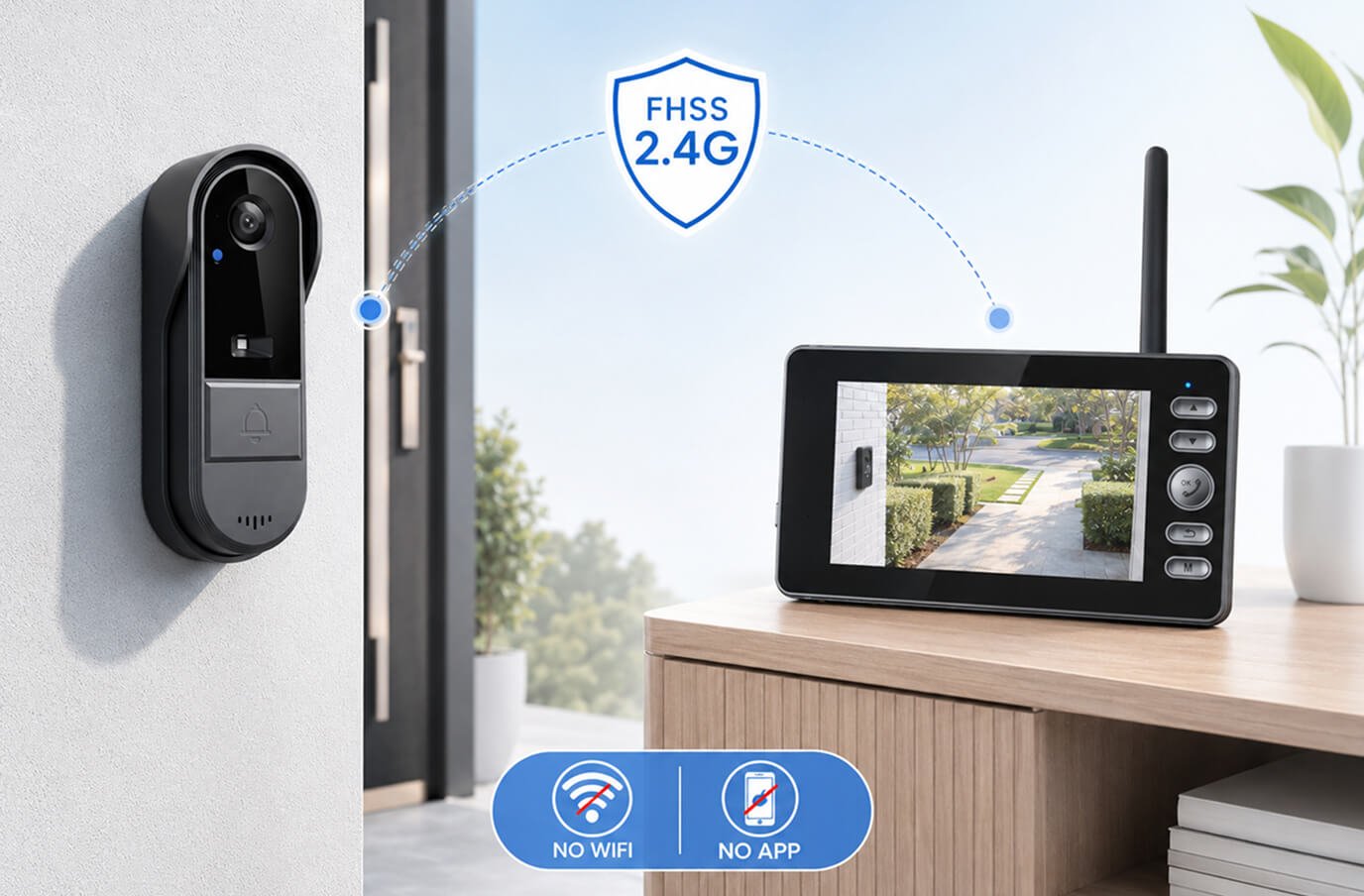
There's a third category: a wireless doorbell with a direct link to an indoor monitor. The camera sends video over its own private FHSS 2.4G radio connection to a portable screen inside the house. No router, no app, no account, no cloud, no monthly fee. The Vital Smart Door Home works exactly this way. We explain the technology in how no-WiFi video doorbells work, and the money side in video doorbells with no monthly fee.
The trade-off is honest and intentional: because video never leaves your home, you watch it on the monitor while you're there, not on your phone at work. If remote viewing from anywhere is your top priority, you'll want an app-based model, wired or wireless. If your priority is answering the door safely, privately and without a bill, the direct-link design is the simplest answer.
A quick decision checklist
- Existing doorbell wiring + want continuous recording? Wired.
- No wiring, renting, or want flexible placement? Wireless.
- Want it working through internet and power outages? Wireless with a direct link to a monitor.
- Don't want an app, an account or a monthly fee? Wireless with a direct link to a monitor.
- Need to check the door from the office? An app-based model, wired or wireless.
Our recommendation: the Vital Smart Door Home
If you've landed on wireless and you'd rather keep your front door off the internet, the Vital Smart Door Home is the option we recommend. It takes the best part of a wireless doorbell, the ten-minute installation, and removes the parts people complain about most: the WiFi dependence, the app and the subscription.
- Fully wireless and rechargeable: both the door camera and the indoor monitor charge up; there's no connection to doorbell wiring, so it goes on any door, in any home or apartment.
- Direct FHSS 2.4G link to a portable monitor: no WiFi, no app, no account, no cloud, so nothing online to hack and nothing to pay monthly.
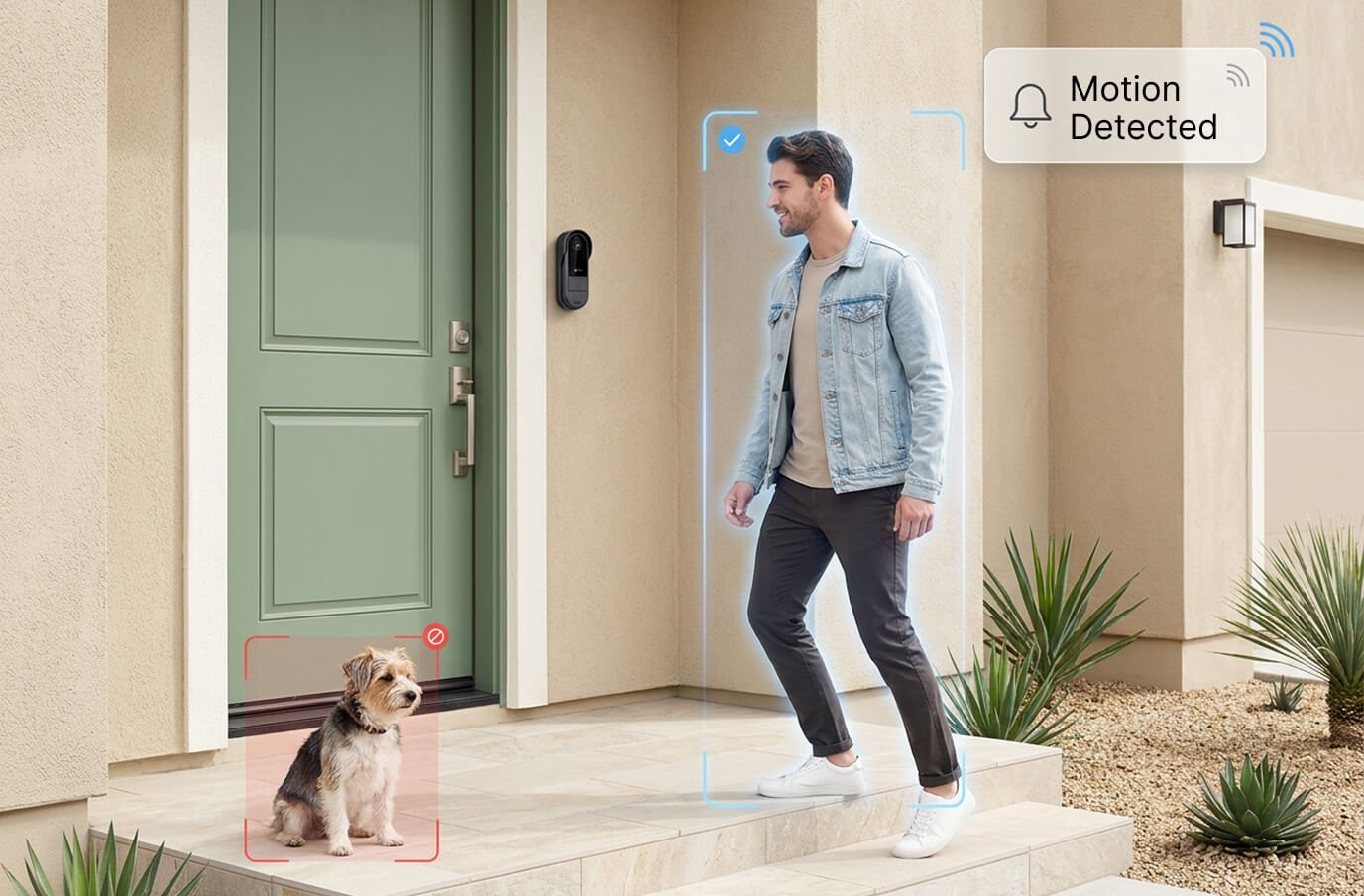
- Live video and two-way audio when someone rings or approaches, plus night vision and motion detection.
- Keeps working during internet outages, because it never used the internet in the first place.
- DIY setup in minutes with adhesive or screws, and it moves with you.
- Optional SD-card upgrade at checkout if you'd like recordings stored locally at home.
Our full review scores it 4.6/5. Current pricing on the official site: 1 unit US$99.99 (regular US$222.20), or the 2-pack at US$89.99 each (US$179.98 total), handy for a front and back door. Orders ship from New Jersey within 48 business hours to the USA and Canada, and every purchase is covered by a 30-day money-back guarantee, so you can try it on your own door risk-free.
Still weighing options? See our roundup of the best no-WiFi video doorbells of 2026, or start on our Vital Smart Door Home overview.
Frequently asked questions
Is a wired or wireless video doorbell better?
Neither is better for everyone. Wired doorbells give constant power and suit homes that already have doorbell wiring and want continuous recording. Wireless doorbells install in minutes with no wiring, can be placed anywhere and move with you, at the cost of recharging the battery every so often. For most households that mainly want to see who's at the door, wireless is the simpler choice.
Do wireless video doorbells need WiFi?
Most do, because they stream to a phone app through your router. A smaller group of wireless doorbells, like the Vital Smart Door Home, send video over a private FHSS 2.4G radio link straight to an indoor monitor, so they need no WiFi, no app and no account.
How often do you have to charge a wireless doorbell?
It depends on the model, the battery and how much motion the camera sees. Busy porches drain batteries faster, and cold weather shortens runtime. The maker of the Vital Smart Door Home describes extended power capacity but doesn't publish exact figures, so expect real-world life to vary with traffic at your door.
Can I install a wired video doorbell without existing wiring?
Only by running new low-voltage wiring and installing a transformer, which usually means an electrician. If your home has no doorbell wiring, a wireless doorbell is the practical choice.
Does a wired doorbell work during a power or internet outage?
A wired doorbell stops when the power goes out, and an app-based doorbell of either type stops streaming when the internet goes down. A battery-powered doorbell that links directly to an indoor monitor keeps working through both as long as the units are charged.
Which wireless video doorbell does Smart Place Reviews recommend?
The Vital Smart Door Home: a rechargeable wireless doorbell camera paired with a portable indoor monitor over FHSS 2.4G, with night vision, two-way audio and motion detection, no WiFi, no app and no monthly fee. One unit is US$99.99 and the 2-pack is US$89.99 each, with a 30-day money-back guarantee.