Quick answer
A no-WiFi video doorbell pairs the outdoor camera directly with an indoor monitor over an FHSS 2.4G radio link — the same frequency-hopping technology used in baby monitors. Nothing touches your router, so there is no app, no account, no cloud fee and no internet-facing camera to hack, and it keeps working during outages. The trade-off is equally simple: no remote viewing on your phone when you are away. Choose no-WiFi for answering the door safely at home; choose a WiFi model if away-from-home alerts are essential.
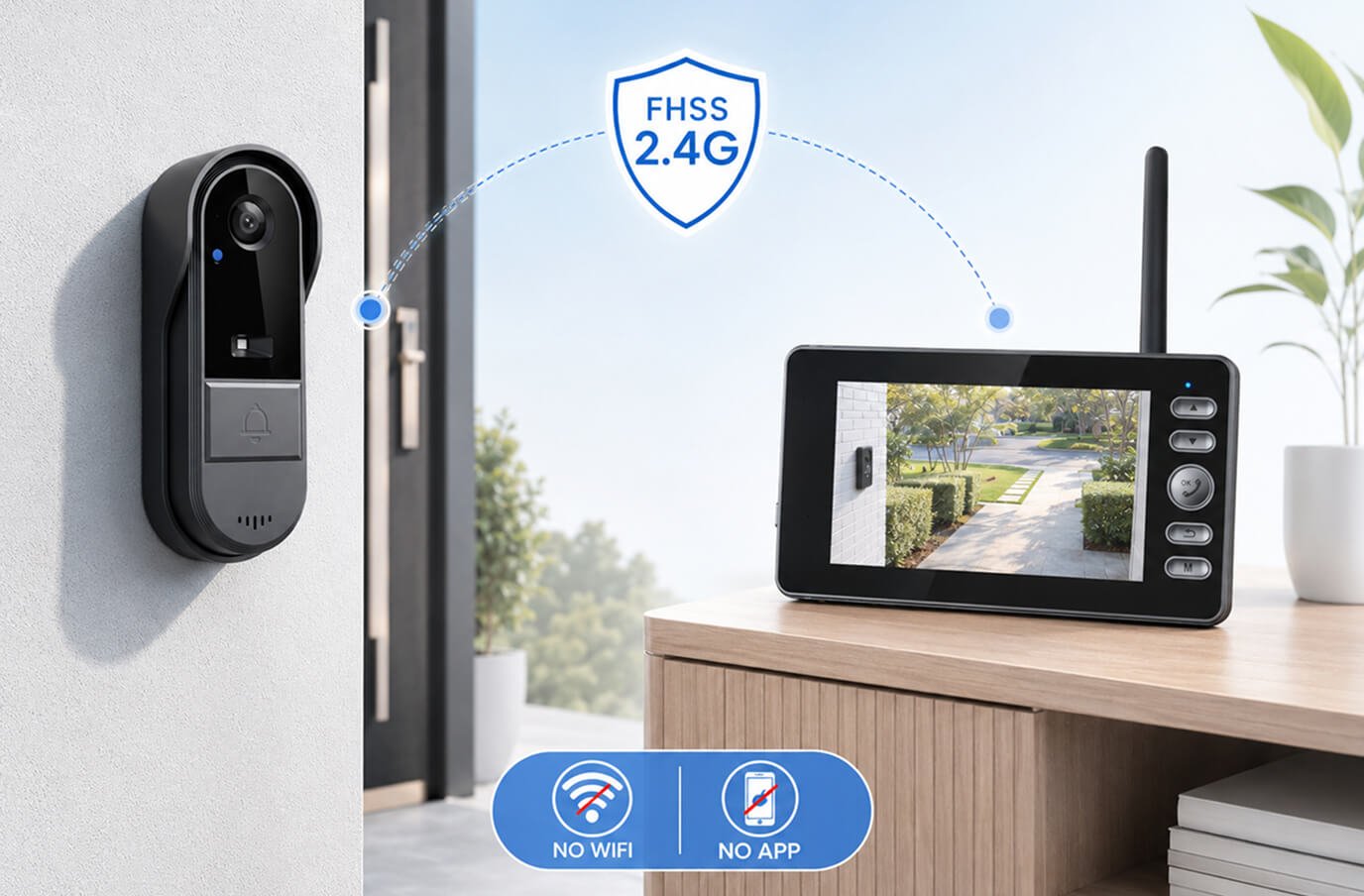
How a doorbell camera works without WiFi
WiFi doorbells send video to the cloud, and the cloud sends it back to your phone. No-WiFi doorbells cut out both middlemen: the camera transmits directly to a dedicated indoor screen over FHSS — frequency-hopping spread spectrum — on the 2.4 GHz band.
FHSS constantly hops between channels many times per second. In practice that gives it three useful properties: it resists interference from neighbors' networks, it is hard to jam or intercept casually, and it needs zero configuration — the camera and monitor arrive already paired. Press power, and the system works. That's exactly how the Vital Smart Door Home is set up out of the box.
No-WiFi vs. WiFi doorbells, honestly compared
| Question | No-WiFi (FHSS) | WiFi (Ring-style) |
|---|---|---|
| See visitors while away from home? | No — indoor monitor only | Yes, via phone app |
| Monthly subscription? | Never | Usually, for recordings |
| Works during internet outage? | Yes, fully | No — camera goes dark |
| Can be hacked over the internet? | No — nothing is online | Possible; depends on account security |
| Setup difficulty | Minutes, pre-paired | App, account, router, permissions |
| Usable by non-smartphone users? | Yes — anyone can use a monitor | Requires a smartphone per user |
| Video history | Optional SD card (local) | Cloud clips, searchable |
Who should pick a no-WiFi doorbell
- People who are usually home when the doorbell matters — retirees, remote workers, families with kids home after school.
- Anyone buying for older parents or grandparents — a monitor with buttons beats an app, an account and two-factor prompts (see our guide to the best video doorbell for seniors).
- Renters and apartment dwellers — no wiring, no landlord WiFi drama, and it moves with you (see our video doorbell guide for renters).
- Privacy-focused households that do not want doorstep footage passing through anyone's cloud (see can video doorbells be hacked?).
- Homes with weak WiFi at the front door — a surprisingly common reason WiFi doorbells disappoint.
Who should pick a WiFi doorbell instead
Be honest with yourself about one question: do you need to see your door when you are not home? If you travel often, receive valuable deliveries while at work, or manage a second property, the phone-alert workflow of a WiFi doorbell is the feature you are actually buying — accept the app, the setup and the likely subscription as its price.
If your real scenario is "someone knocks and I want to see and speak to them without opening the door", the no-WiFi design does that job with less friction, less risk and no recurring cost. If you're comparing models, we ranked the best no-WiFi video doorbells of 2026.
Our recommendation: the Vital Smart Door Home
If the "who should pick a no-WiFi doorbell" list above sounds like your household, the Vital Smart Door Home is the no-WiFi doorbell we recommend. It is the cleanest example of everything that makes the category appealing.
- True FHSS 2.4G link: camera and portable monitor talk directly, arrive pre-paired and need no router, app or account.
- Everything you need at the door: live video, two-way audio, night vision and motion detection.
- Works for every family member: anyone who can press a button on a monitor can use it, no smartphone required.
- No subscription, ever: bought once, with an optional SD-card upgrade at checkout if you'd like local recordings.
- Fully wireless and rechargeable: ideal for weak-WiFi front doors, rentals and homes without doorbell wiring.
Our full review scores it 4.6/5. On the official site, 1 unit is US$99.99 (regular US$222.20), or the 2-pack is US$89.99 each (US$179.98). It ships from New Jersey within 48 business hours to the USA and Canada and comes with a 30-day money-back guarantee.