Quick answer
If you work from home and are home most of the day, a video doorbell with its own indoor monitor is usually the better choice: you see and answer the door from your desk without unlocking your phone, without app notifications interrupting calls, and without depending on WiFi. An app-based doorbell wins only if you also need to watch the door while you are away. For a home office, a no-WiFi kit with a portable monitor, such as the Vital Smart Door Home, is the simpler, calmer setup.
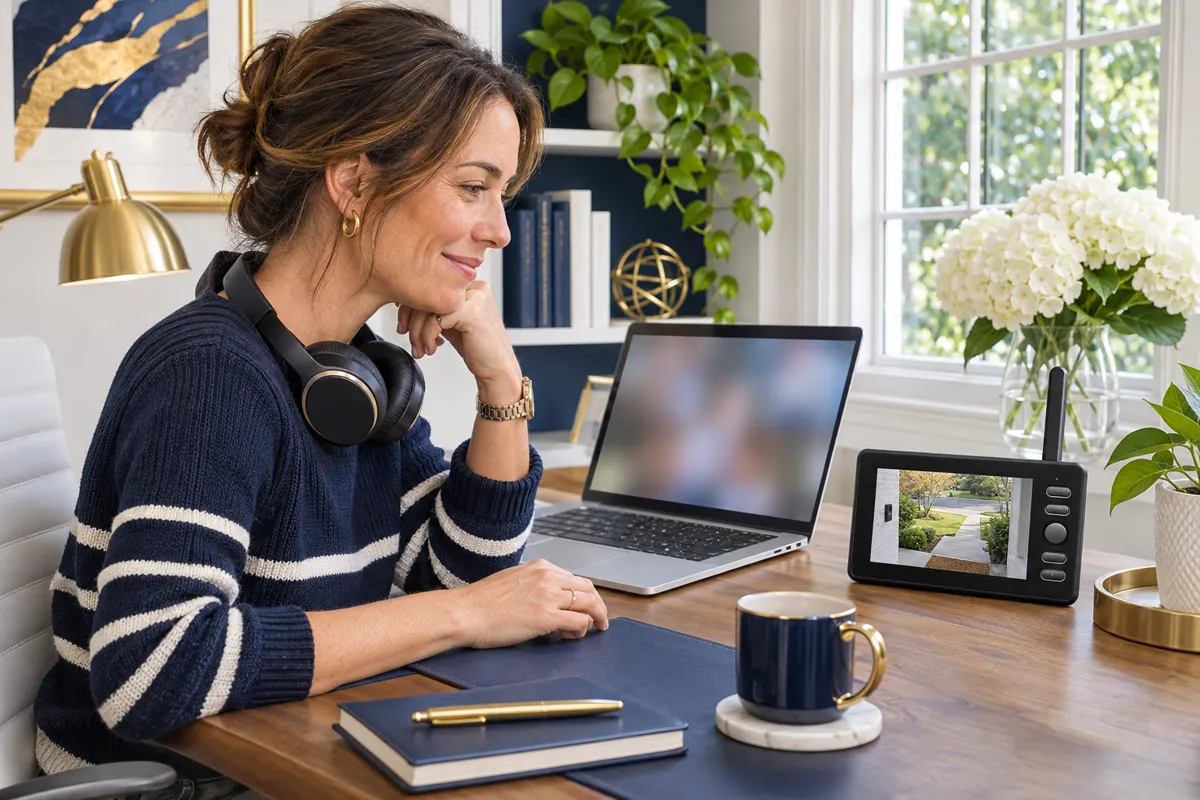
Searches for “video doorbell with monitor” have been rising on Google, and it is easy to understand why. Millions of Americans now work from home at least part of the week, which means they are the ones answering the door for deliveries, neighbors, contractors and the occasional salesperson, often in the middle of a video call. The question is no longer just “which doorbell is best?” but “which doorbell fits a workday at home?”
This guide compares the two real options for one specific profile: people who work from home. On one side, a video doorbell with a dedicated indoor monitor. On the other, an app doorbell that sends everything to your phone. If you want the general picture first, read our complete guide to no-WiFi video doorbells.
The two options, in plain English
- Video doorbell with indoor monitor: a camera at the door linked directly to a small screen inside your home. When someone rings or walks up, the monitor shows them and lets you talk. Kits like the Vital Smart Door Home use a private FHSS 2.4G radio link, so there is no WiFi, no app and no account involved.
- App doorbell: a camera that joins your WiFi network and sends alerts, live video and two-way talk to an app on your phone, usually with cloud recording on a monthly plan.
Both show you who is at the door. The difference is where that information lands during your workday: on a dedicated screen beside you, or on the same phone that already buzzes with email, chat and calendar alerts.
What a workday at home actually needs from a doorbell
- Fewer interruptions. You want to know someone is at the door, not get pulled into your phone every time a car passes.
- A quick decision. Is it the package you are waiting for, a neighbor, or someone you do not want to open the door to? One glance should be enough.
- Answering without leaving your chair. “Please leave it on the porch” or “I will be there in two minutes” should take seconds, even with a meeting on mute.
- Reliability. A doorbell that fails when the home internet is slow or down, which tends to happen on the busiest workdays, is not much help.
- Privacy. Many remote workers prefer that their front door is not one more device on the home network next to their work laptop.
Doorbell with monitor vs. app doorbell for people who work from home
| What matters at home | Video doorbell with monitor | App doorbell (WiFi + phone) |
|---|---|---|
| Seeing who is there | One glance at the screen on your desk | Unlock phone, open notification, wait for the app |
| Interruptions during calls | Only the doorbell itself, on a separate device | Alerts land on the same phone as work messages |
| Talking to the visitor | Two-way audio straight from the monitor | Two-way audio through the app |
| Depends on WiFi and internet | No, direct FHSS 2.4G link | Yes, for alerts, video and talk |
| Setup | Charge, switch on, pre-paired; mount with adhesive or screws | Install app, create account, join WiFi, configure alerts |
| Monthly cost | None; optional SD card for recordings | Often a subscription for cloud video history |
| Watching the door while away | Not designed for it | Yes, from anywhere with signal |
| Best fit | Home most of the day, wants calm and simplicity | Travels or commutes often, wants remote alerts |
The verdict by work-from-home situation
- Full-time remote worker who is home most days: a doorbell with monitor. You are the person who answers the door, so a dedicated screen beside your laptop is faster and quieter than the phone.
- Back-to-back video calls: a doorbell with monitor. You can glance at the screen, decide in a second and keep your phone out of the meeting.
- Home office upstairs or at the back of the house: a doorbell with a portable monitor you can carry from room to room, so you never miss the bell in a far corner.
- Remote worker with an unreliable internet connection: a doorbell with monitor, because a direct radio link keeps working when the router does not.
- Hybrid worker who is often in the office or traveling and wants alerts away from home: an app doorbell is the right tool for that remote viewing; a no-WiFi kit is built for life inside the home.
For most people who genuinely work from home, the indoor monitor wins. That is exactly what the Vital Smart Door Home was designed for.
How to set up a doorbell monitor for a home office
- Test the signal from your desk first. Before mounting the camera, hold it at the door while someone checks the picture on the monitor at your desk. Thick brick walls or metal doors can weaken a 2.4 GHz link, as our FHSS explainer describes.
- Give the monitor a fixed spot. Next to your laptop or second screen, where a glance is natural.
- Charge it with your other devices. Plug the monitor in at the end of the workday, the same way you charge your headphones. Our guide on when to charge a battery video doorbell covers the best time of day for both units.
- Agree on a porch routine. Ask regular couriers to leave packages in one spot so a quick “thank you, leave it there” through the monitor is all it takes.
- Carry it when you move. Lunch in the kitchen or a call in the bedroom: the portable monitor goes with you.
Common mistakes remote workers make with doorbells
- Turning on every phone alert. Motion notifications for every passing car quickly become noise during a workday.
- Muting the phone for meetings and missing the door. A separate monitor solves this, because you can silence the phone without silencing the door.
- Mounting the camera before testing the signal. Always check the picture from the room where you work.
- Paying for features you do not use. If you are home all day, a cloud subscription for remote video may not add much. Our guide to video doorbells with no monthly fee explains the alternatives.
Our recommendation: the Vital Smart Door Home
If you work from home and want to see and answer your door without reaching for your phone, the Vital Smart Door Home is the video doorbell with monitor we recommend. It was built for life inside the home: a portable indoor monitor that sits on your desk, a camera at the door and a private link between them that does not need WiFi at all.
- Ready out of the box: charge, switch on, and the camera and portable indoor monitor pair automatically over FHSS 2.4G. No router, no app, no account.
- Everything you need at the door: live video, two-way audio, motion detection and infrared night vision on a monitor you can carry from room to room.
- Renter-friendly DIY mounting: wireless and rechargeable, mounts with adhesive or screws, no wiring and no electrician.
- Private and outage-proof: nothing connects to the internet, so there is no online account to hack and nothing to go offline when the WiFi does.
- No monthly fee: pay once, with an optional SD card at checkout if you want recordings.
Our full review scores it 4.6/5. Current pricing on the official site: 1 unit US$99.99 (regular US$222.20), or the 2-pack at US$89.99 each (US$179.98 total). Orders ship from New Jersey within 48 business hours to the USA and Canada, and every purchase is covered by a 30-day money-back guarantee.
Want more background first? Start on our Vital Smart Door Home overview.
Frequently asked questions
Is a video doorbell with a monitor better than one with an app?
It depends on where you spend your day. If you are home most of the time, as many remote workers are, a doorbell with its own indoor monitor is faster and less distracting: one glance at the screen, no phone to unlock and no dependence on WiFi. If you need to see your door while you are away, an app doorbell is the right tool for that.
Can I answer the door from my desk with a monitor doorbell?
Yes. A kit with an indoor monitor shows live video and offers two-way audio, so you can tell a courier to leave a package or say you will be right there without leaving your chair. A portable monitor can also move with you to another room.
Does a video doorbell with monitor need WiFi?
Not if it uses a direct radio link. The Vital Smart Door Home connects its camera to the indoor monitor over FHSS 2.4G, so it needs no WiFi, no app, no account and no internet, and it keeps working during internet outages.
Will a doorbell monitor interrupt my video calls?
Less than phone alerts do. The monitor only shows the door when someone rings or approaches, on a separate device, so you can keep your phone silent during meetings and still know when someone is at the door.
What is the downside of a doorbell with an indoor monitor?
It is designed for life inside the home, so it does not send alerts or video to your phone when you are away. For people who work from home and are there most of the day, that trade-off rarely matters.
How much does the Vital Smart Door Home cost?
On the official site, 1 unit is US$99.99 and the 2-pack is US$89.99 each (US$179.98 total), with no monthly fee, shipping to the USA and Canada and a 30-day money-back guarantee.