Quick answer
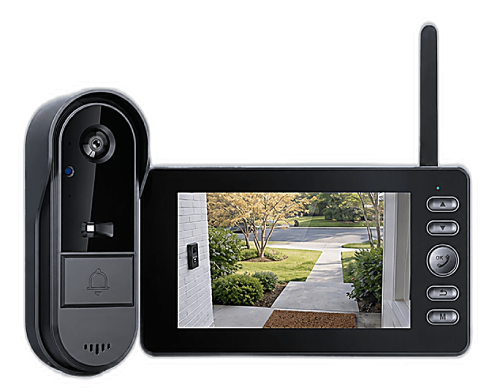
Yes, an internet-connected video doorbell can be hacked, usually through a weak or reused password, an insecure app or outdated firmware. Strong passwords, two-factor login and updates reduce that risk, but they don't remove it, because the camera is still reachable online. The simplest way to take the risk off the table is a doorbell that never connects to the internet at all. That's why our recommendation is the Vital Smart Door Home: a private FHSS 2.4G link to an indoor monitor, with no WiFi, no app and no cloud.
Why people worry about doorbell cameras
A video doorbell points at the most personal spot of your home: the front door. It sees when you leave, when you come back, who visits and when the house is empty. Most popular models stream that video through an app and often store clips on the manufacturer's servers. That's convenient, but it also means your front-door feed lives on the internet, protected by a password.
The concern isn't just theoretical. In early 2024, Consumer Reports published testing that found serious security flaws in several low-cost, app-controlled video doorbells sold on major online marketplaces, issues that could let a stranger view images from the camera. Reports like that are why "can my doorbell be hacked?" has become such a common question.
How app-based doorbells get exposed
Almost every case comes down to one of a handful of weak points:
- Weak or reused passwords. If your doorbell account uses the same password as another site that was breached, attackers can simply try it. This is the most common way smart cameras get accessed.
- No two-factor login. Without a second step, a password alone opens the account.
- Insecure apps or servers. Some budget devices rely on apps or cloud services with poor security, which no password can fix.
- Outdated firmware. Security fixes only help if they're installed. Many owners never update their doorbell after setup.
- A vulnerable home network. An old router or a default WiFi password can put every connected device in the house at risk.
- Shared or old accounts. Former roommates, previous owners or family members who still have access.
What people usually do to stay safe
If you already own an app-based doorbell, these steps genuinely help, and we recommend them:
| Step | What it protects against | Limit |
|---|---|---|
| Unique, strong password | Logins with leaked passwords | Only as safe as the app and servers |
| Two-factor authentication | Stolen passwords | Not offered by every brand |
| Automatic firmware updates | Known security bugs | Depends on the maker releasing fixes |
| Secure router and WiFi password | Attacks through your home network | Another device to maintain |
| Review shared users regularly | Old or forgotten access | Easy to forget |
| Choosing an offline doorbell | Online access to the camera altogether | No viewing away from home (by design) |
Notice the pattern: every fix in the first five rows is about defending something that's still online. You're adding locks to a door that stays open to the internet. The last row is different. It closes that door completely.
The offline alternative: a doorbell with no WiFi and no app
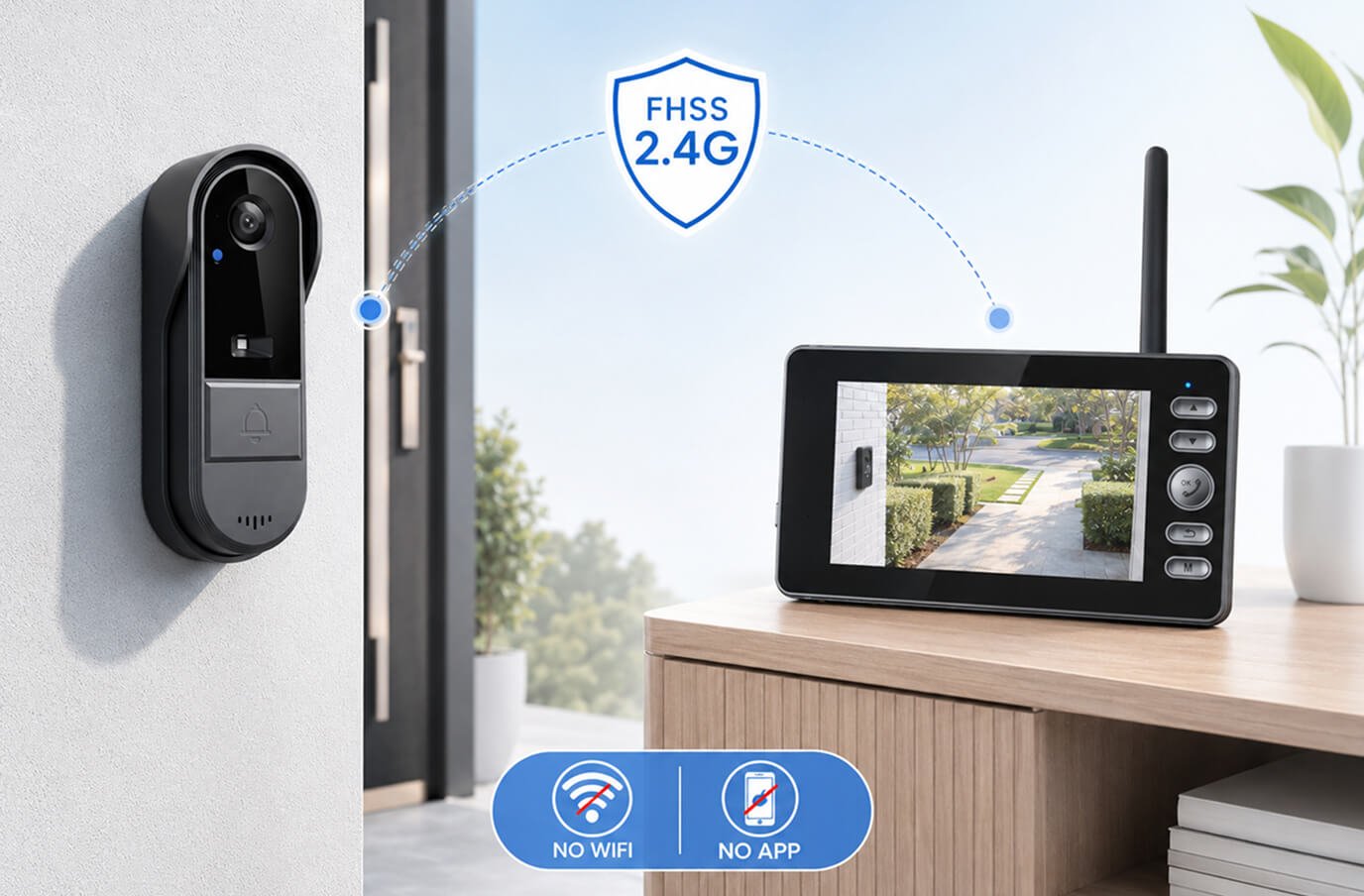
A no-WiFi video doorbell works more like a classic intercom with a screen. The camera at the door talks directly to an indoor monitor over its own private radio link. Nothing goes through your router, nothing is uploaded to a cloud, and there's no account with a password to steal. We explain the technology in detail in our guide to how no-WiFi video doorbells work.
For anyone whose main worry is privacy, this design is the most straightforward answer. The Vital Smart Door Home is built exactly this way, and it's one reason it became our top pick in the no-WiFi category. It also means no monthly fee, a topic we cover in video doorbells with no monthly fee.
The honest trade-off is clear and intentional: because the video never leaves your home, you watch it on the monitor while you're there, not on your phone at the office. For many households, especially families who simply want to see who's knocking before opening the door, that's exactly the right balance.
Privacy questions to ask before you buy any doorbell
- Does it need WiFi and an app? If yes, your video will be online.
- Where are clips stored? On a cloud server, on an SD card at home, or nowhere?
- Is a subscription required? Many cloud features sit behind a monthly plan.
- Does it offer two-factor login and regular updates? Essential for any connected model.
- Where does the camera point? Aim it at your own entry, not into a neighbor's windows, and check local rules if you record audio.
Our recommendation: the Vital Smart Door Home
If you want a video doorbell without wondering who else might be watching, the Vital Smart Door Home is the option we recommend. It was designed around one idea: see and talk to whoever is at your door, with no internet involved.
- No WiFi, no app, no account: the camera links to a portable indoor monitor over a private FHSS 2.4G connection, so there's no online login to crack.
- No cloud, no monthly fee: your front-door video isn't uploaded anywhere, and there's nothing to subscribe to.
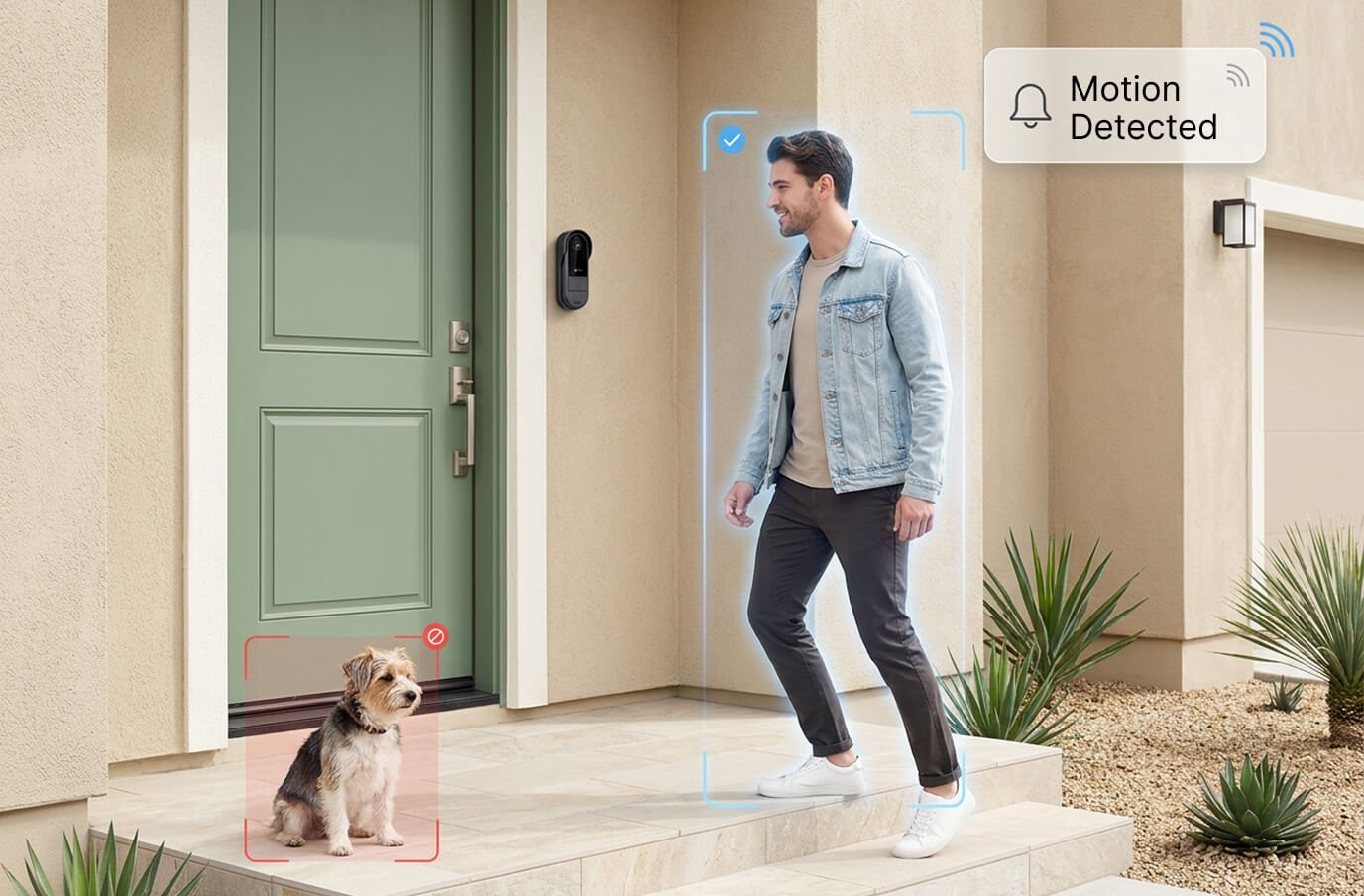
- Live video and two-way audio as soon as someone rings or approaches, plus night vision and motion detection.
- Keeps working during internet outages, because it never depended on the internet.
- DIY setup in minutes, wireless and rechargeable, mounted with adhesive or screws.
- Optional SD-card upgrade at checkout if you'd like recordings stored locally at home.
Our full review scores it 4.6/5. Current pricing on the official site: 1 unit US$99.99 (regular US$222.20), or the 2-pack at US$89.99 each (US$179.98 total). Orders ship from New Jersey within 48 business hours to the USA and Canada, and every purchase is covered by a 30-day money-back guarantee, so you can try it at your own front door risk-free.
Still comparing models? See our roundup of the best no-WiFi video doorbells of 2026, or start on our Vital Smart Door Home overview.
Frequently asked questions
Can someone hack my doorbell camera?
Any doorbell that connects to the internet and is controlled through an app or online account can, in principle, be targeted, especially if it uses a weak or reused password, outdated firmware or a poorly secured app. A doorbell that never connects to the internet doesn't have that online exposure.
How do I know if my video doorbell has been hacked?
Warning signs include login alerts you don't recognize, unknown devices or users on the account, changed settings, the camera turning on or speaking unexpectedly, and unusual data use on your network. If you notice any of these, change your password, sign out other sessions, enable two-factor authentication and update the firmware.
Are cheap video doorbells less secure?
Not always, but price can matter for app-based models, because security depends on the app, the cloud servers and ongoing firmware updates. In 2024 Consumer Reports published testing that found serious security flaws in several low-cost app-controlled doorbells sold on major marketplaces. Offline doorbells avoid this category of risk because there's no app or cloud.
Is there a video doorbell that doesn't connect to the internet?
Yes. No-WiFi doorbells like the Vital Smart Door Home send video from the door camera straight to a portable indoor monitor over a private FHSS 2.4G link. There's no WiFi connection, no app, no account and no cloud storage.
Does an offline doorbell let me check the door from work?
No. Keeping video off the internet is exactly what makes an offline doorbell private, so live view and two-way talk happen on the indoor monitor while you're at home. If remote viewing from anywhere is your top priority, an app-based model is the other category to consider.