Quick answer
The best time to charge a battery video doorbell is in the evening, after the last delivery and while you are home and awake: the porch is quiet, you can unplug it once it is full, and it is back on duty by morning. Charge the indoor monitor at the same time as your phone, check the battery once a week in the first month to learn your rhythm, and expect to charge a little more often in cold weather. Kits with both units rechargeable, such as the Vital Smart Door Home, make this an easy two-minute routine.
Battery video doorbells are one of the most searched doorbell types on Google, and for good reason: no wiring, no electrician, no landlord permission. The trade-off is simple. Every battery needs charging, and a doorbell that dies on the day of an important delivery is no help at all. The good news is that a little timing solves almost everything.
This guide answers one practical question: when is the best moment to charge a battery doorbell and its indoor monitor? We compare evening, morning and weekend charging, cover cold weather and safe-charging habits, and finish with a simple table that matches your routine to a charging time. If you are still deciding between wired and battery models, start with our wired vs. wireless doorbell comparison.
Why timing matters more than you think
- The doorbell is offline while it charges. If the outdoor camera comes inside to charge, the door is unwatched until it goes back up. Picking a quiet moment keeps that gap harmless.
- Deliveries cluster in the day. Most couriers come between late morning and early evening, which is exactly when you want the camera on duty.
- Lithium batteries prefer room temperature. Charging indoors, at a normal temperature, is kinder to the battery than charging on a cold porch.
- Habits beat reminders. If charging happens at the same time as something you already do, you will never think about it again.
Evening, morning or weekend? The three options compared
| When you charge | Pros | Watch out for | Best for |
|---|---|---|---|
| Evening (after the last delivery) | Porch is quiet; you are home and awake; doorbell back up by morning | Late visitors while the camera is inside | Most households |
| Early morning | Charges while you shower and have breakfast | Morning deliveries and school-run traffic | Night-shift workers, quiet streets |
| Weekend (fixed day) | One planned slot a week; easy to remember | Needs a battery that lasts the whole week at your door | Low-traffic homes once you know your rhythm |
For most people, the evening wins. The last courier has usually come and gone, you are home to notice when the charge is complete, and the camera is back at the door before anything important happens the next day.
The indoor monitor: charge it with your phone
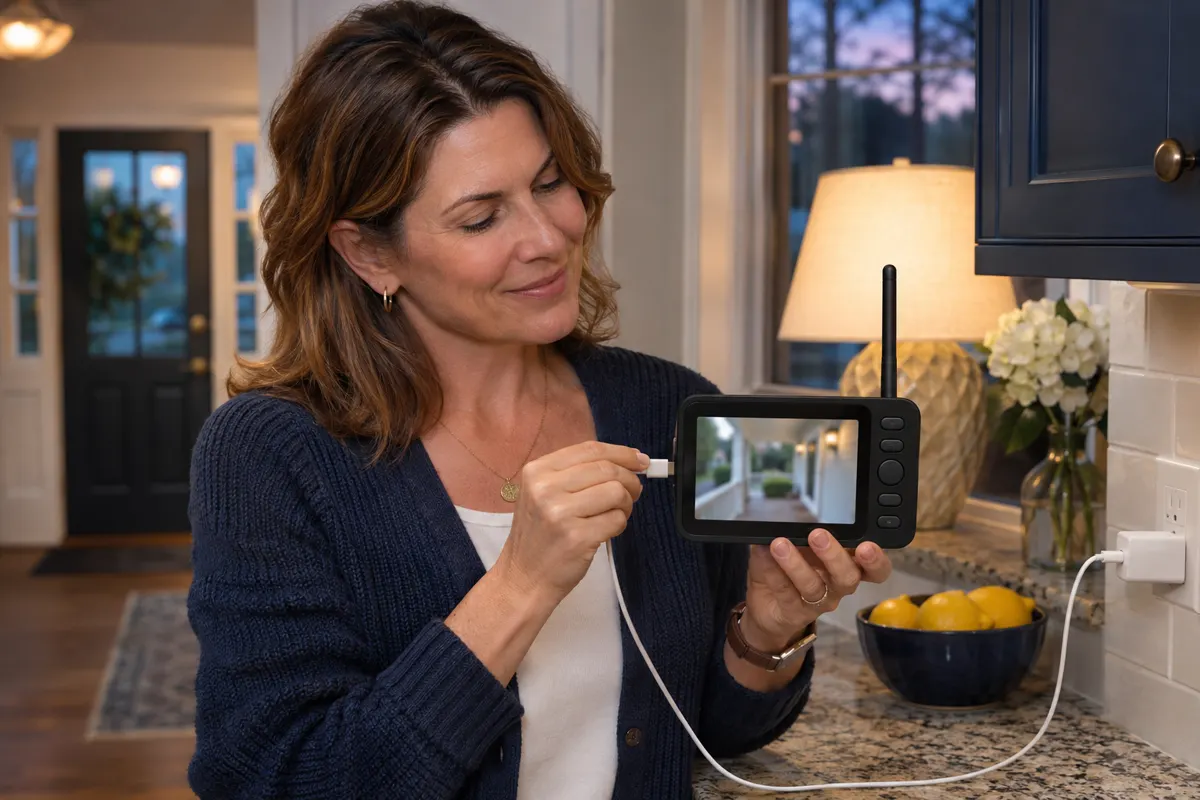
On kits like the Vital Smart Door Home, the portable indoor monitor is rechargeable too. It is the easiest part to keep topped up, because it never leaves the house. Give it a fixed charging spot, ideally where you already charge your phone or headphones, and plug it in at the same moment every evening. If you work from home, the end of the workday is a natural trigger, as we suggested in our doorbell monitor guide for remote workers.
How often should you charge? Learn your own rhythm
There is no honest one-size answer, because battery life depends on how often the camera wakes up: a busy street, a lot of foot traffic or frequent motion events use more power than a quiet cul-de-sac. The maker does not publish exact battery specs, so the smart move is to measure your own door:
- Weeks 1–4: check weekly. Look at the battery level on the same day each week and jot it down.
- Find your number. Note how many days a full charge lasts at your door in normal weather.
- Set a fixed charging day a day or two before it would run low, so you never charge in a rush.
- Re-check when the season changes, especially when winter arrives.
Cold weather: what changes in November and December
Rechargeable lithium batteries typically deliver less capacity when they are cold, so a doorbell that easily lasts in September may need charging more often in a northern winter. A few simple adjustments help:
- Charge indoors, never on a freezing porch. Bring the unit inside and let it warm up to room temperature before plugging it in.
- Shorten the interval in winter. If your rhythm was every 10 days, try a fixed weekly slot during the coldest months.
- Charge before a cold snap or a holiday rush. Top it up before the busiest delivery weeks of the year, so it is full when packages pile up.
- Keep the mounting spot sheltered from direct wind and rain if you can, and give the lens a quick dry wipe while the unit is inside (see how to clean a doorbell camera lens).
Safe charging habits for lithium-ion devices
The National Fire Protection Association (NFPA) gives simple advice for any device with a lithium-ion battery. Applied to a doorbell kit:
- Use the cable and charger designed for the device, and follow the manufacturer’s instructions.
- Charge on a hard, flat surface such as a counter or desk, not on a bed, couch or under a pillow.
- Unplug it once it is fully charged. Evening charging while you are home makes this easy.
- Stop using a battery that swells, leaks, smells odd, changes color or gets unusually hot, and contact the seller.
- Do not throw lithium batteries in household trash; use a battery recycling drop-off.
A simple charging routine that sticks
- Pick a charging station: one outlet in the kitchen or office for both units.
- Anchor it to a habit: “when I plug in my phone at night, the monitor goes in too.”
- Give the outdoor camera its fixed day based on the rhythm you measured.
- Test before mounting it back: press the bell and check the picture on the monitor, a habit we also recommend in our first-day setup guide.
If your routine is X, charge at Y
| Your routine | Best time to charge the doorbell | Best time to charge the monitor |
|---|---|---|
| Work from home, deliveries all day | Evening, after the last courier (about 8–9 pm) | End of the workday, at your desk |
| Office worker, home in the evening | Evening while you cook and eat dinner | Overnight station next to your phone, unplug when full |
| Night-shift worker | Early morning when you get home | Before you go to sleep |
| Retired or home most of the day | A fixed weekday morning after breakfast | Every evening with the TV remote and phone |
| Busy street, lots of motion | Twice-weekly evening slots | Every evening |
| Cold winter climate | Indoors at room temperature, a shorter interval than summer | Every evening |
| Before a trip or holiday rush | The evening before, to a full charge | The evening before |
Our recommendation: the Vital Smart Door Home
If you want a battery video doorbell that fits easily into a simple charging routine, the Vital Smart Door Home is the kit we recommend. Both the outdoor camera and the portable indoor monitor are rechargeable and fully wireless, so there is nothing to wire, and the whole system runs on its own private link without WiFi, apps or accounts to manage.
- Ready out of the box: charge both units, switch on, and they pair automatically over FHSS 2.4G. No router, no app, no account.
- Everything you need at the door: live video, two-way audio, motion detection and infrared night vision on a monitor you can carry from room to room.
- Renter-friendly DIY mounting: wireless and rechargeable, mounts with adhesive or screws, no wiring and no electrician.
- Private and outage-proof: nothing connects to the internet, so there is no online account to hack and nothing to go offline when the WiFi does.
- No monthly fee: pay once, with an optional SD card at checkout if you want recordings.
Our full review scores it 4.6/5. Current pricing on the official site: 1 unit US$99.99 (regular US$222.20), or the 2-pack at US$89.99 each (US$179.98 total). Orders ship from New Jersey within 48 business hours to the USA and Canada, and every purchase is covered by a 30-day money-back guarantee.
Want more background first? Start on our Vital Smart Door Home overview.
Frequently asked questions
What is the best time of day to charge a battery video doorbell?
For most homes, the evening after the last delivery is the best time: the porch is quiet, you are home and awake to keep an eye on the charger, and the doorbell is back on duty before the next morning. Charge the indoor monitor at the same moment you charge your phone or headphones so it becomes automatic.
How often do I need to charge a battery video doorbell?
It depends on how many times a day motion and visitors wake the camera, so there is no single number for every home. Check the battery level weekly for the first month, note how many days a full charge lasts at your door, then set a fixed charging day a little before it would run low.
Does cold weather drain a video doorbell battery faster?
Yes, rechargeable lithium batteries typically deliver less capacity in the cold, so expect to charge a little more often in winter. Bring the unit inside and let it reach room temperature before you plug it in, and charge it indoors rather than outside on a freezing porch.
Is it safe to charge a video doorbell overnight?
The safest habit, in line with National Fire Protection Association advice for lithium-ion devices, is to charge on a hard surface with the cable that came with the device and to unplug it once it is full. Charging in the evening while you are home and awake makes that easy.
Do I need to charge the indoor monitor too?
Yes. On kits like the Vital Smart Door Home, both the outdoor camera and the portable indoor monitor are rechargeable. The monitor is easiest to keep topped up because it lives inside: give it a fixed charging spot in the kitchen or office.
How much does the Vital Smart Door Home cost?
On the official site, 1 unit is US$99.99 and the 2-pack is US$89.99 each (US$179.98 total), with no monthly fee, shipping to the USA and Canada and a 30-day money-back guarantee.