Quick answer
A wireless doorbell chime is just a battery button and a plug-in speaker that rings; it shows you nothing. A wireless video doorbell adds a camera, so you can see and talk to the visitor, either on a phone app over WiFi or on an indoor monitor over its own private radio link. “Wireless” only means no wires to the house; it does not mean “no WiFi.” If you want to see who is there without an app, an account or a monthly fee, the type to look for is a no-WiFi video doorbell with a monitor, like the Vital Smart Door Home.
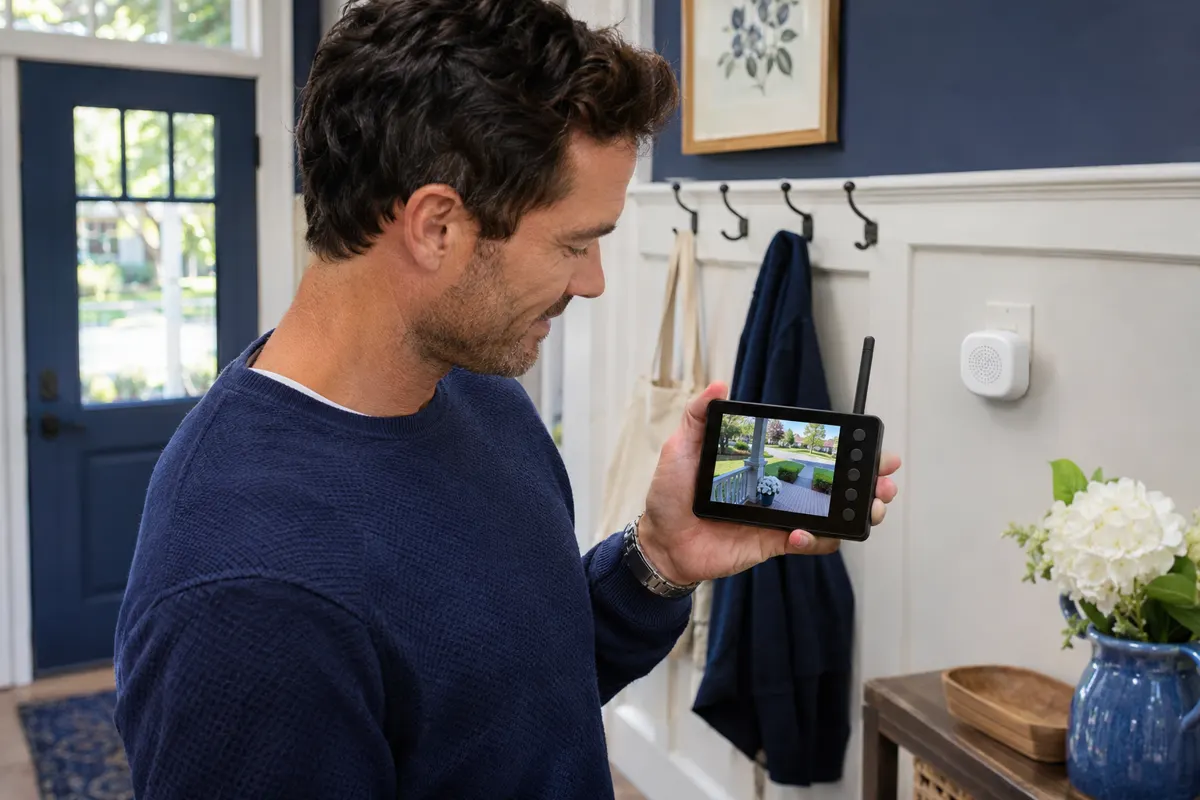
Search for “wireless doorbell” and you get three very different products in the same results: a cheap push button with a plug-in chime, a camera doorbell that sends alerts to your phone, and a camera doorbell with its own little screen. All three are called wireless. All three hang by the front door. And people regularly buy one when they wanted another, then search “wireless doorbell not working” when it does not do what they expected.
This guide clears up the confusion. You will see what each type really does, the words that cause most mix-ups, a side-by-side table and a simple way to choose. If you already know you want a camera, our wired vs. wireless video doorbell guide covers installation in more detail.
Type 1: the wireless doorbell chime
This is the classic, budget option: a small battery-powered push button outside and a receiver inside, usually a box that plugs into an outlet and plays a tune. Press the button, the receiver rings. That is all it does.
- Good for: replacing a broken wired bell, hearing the door from the back of the house, a garage, a workshop or a back gate.
- What it cannot do: show you who is there, let you talk to them, or tell you anything about the visitor.
- The confusion: it is often listed right next to camera doorbells, sometimes with “smart” in the name, even though it has no camera at all.
Type 2: the WiFi video doorbell with an app
This is the doorbell most people picture today: a camera button outside that connects to your home WiFi and sends the picture to an app on your phone. You can answer from anywhere, including away from home, as long as the WiFi and internet are working.
- Good for: people who want alerts on their phone and remote viewing while out.
- What to know: it needs a strong WiFi signal at the front door, an account and an app, and many brands charge a monthly plan to save and replay video. When the WiFi drops, the doorbell goes quiet; we explain the usual causes in why video doorbells keep disconnecting.
- The confusion: the box says “wireless,” and buyers assume that means it works without WiFi. It does not.
Type 3: the no-WiFi video doorbell with an indoor monitor
This type combines the best of both: a camera at the door like a video doorbell, and a direct radio link to the inside like a chime. Instead of a phone app, you get a small portable monitor that rings and shows the live picture. The two units pair directly, with no router involved.
- Good for: anyone who wants to see the visitor before opening the door without apps, accounts, WiFi setup or monthly fees; seniors, renters and families with kids especially.
- What to know: it works inside and around the home, not from the office or on vacation, because nothing goes over the internet.
- The confusion: it looks like a chime kit in the box, but the indoor unit is a screen, not just a speaker.
The Vital Smart Door Home is this third type: a rechargeable camera outside and a carry-anywhere monitor inside, linked by FHSS 2.4G, a frequency-hopping radio we explain in what is FHSS?
Side-by-side: which is which?
| Wireless chime | WiFi video doorbell | No-WiFi video doorbell + monitor | |
|---|---|---|---|
| See the visitor | No | Yes, on your phone | Yes, on the indoor monitor |
| Talk to the visitor | No | Usually yes | Yes, two-way audio |
| Needs WiFi or internet | No | Yes | No |
| App and account | No | Yes | No |
| Monthly fee | No | Often, to save video | No |
| View away from home | No | Yes | No |
| Works in a WiFi or internet outage | Yes | No | Yes |
| Night vision | — | Usually | Yes, infrared |
The three words that cause most mix-ups
“Wireless”
It means the doorbell does not need wires running to your house wiring. It says nothing about WiFi. A chime, a WiFi camera and a no-WiFi camera can all be “wireless.”
“Chime”
On a plain wireless doorbell, the chime is the whole indoor unit. On many WiFi video doorbells, a chime is an extra you buy separately so you can hear the bell in the house without your phone. On a monitor kit, the monitor itself rings.
“No subscription”
A chime never has one. Many app doorbells show live video for free but charge monthly to record and replay. Monitor kits like the Vital have no monthly fee at all; we compare options in video doorbells with no monthly fee.
“My wireless doorbell is not working”: fixes by type
- Chime kit: replace the button battery, move the receiver to a closer outlet, and re-pair button and receiver following the manual.
- WiFi video doorbell: check the router and internet first, then the battery, then the WiFi signal at the door. Most missed rings are WiFi problems.
- Monitor kit: charge both units fully, switch both on and test with the monitor in its usual room; thick walls and metal can weaken any radio link.
How to choose in 30 seconds
- Only need to hear the door? A wireless chime is enough.
- Want to see the door from work or on vacation, and have strong WiFi at the porch? A WiFi video doorbell fits.
- Want to see who is there before you open the door, without apps, passwords or fees? Choose a no-WiFi video doorbell with a monitor.
Our recommendation: the Vital Smart Door Home
For most homes that are thinking about upgrading from a plain chime, the Vital Smart Door Home is the kit we recommend. It keeps everything people like about a chime, simple setup, no internet, it just rings, and adds what a chime can never give you: a live picture of the person at the door and the ability to talk to them before you open it. It is the easiest upgrade from a bell to a camera that we know.
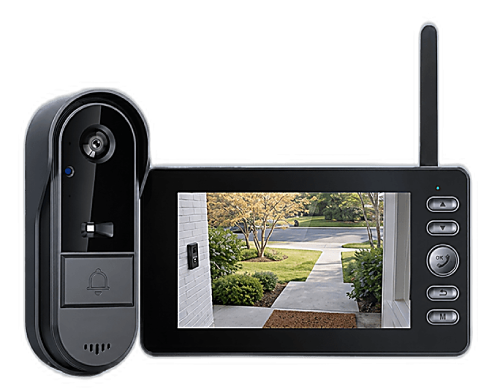
- Ready out of the box: charge both units, switch on, and they pair automatically over FHSS 2.4G. No router, no app, no account.
- More than a chime: live video, two-way audio, motion detection and infrared night vision on a monitor you can carry from room to room.
- No drilling into house wiring: a rechargeable, fully wireless camera that mounts with adhesive or screws.
- Private and outage-proof: nothing connects to the internet, so there is no online account to hack and nothing to go offline when the WiFi does.
- No monthly fee: pay once, with an optional SD card at checkout if you want recordings.
Our full review scores it 4.6/5. Current pricing on the official site: 1 unit US$99.99 (regular US$222.20), or the 2-pack at US$89.99 each (US$179.98 total). Orders ship fast from New Jersey within 48 business hours to the USA and Canada, and every purchase is covered by a 30-day money-back guarantee.
Want more background first? Start on our Vital Smart Door Home overview.
Frequently asked questions
What is the difference between a wireless doorbell and a video doorbell?
A plain wireless doorbell is a battery push button plus a plug-in chime that only rings; it has no camera. A video doorbell adds a camera at the door so you can see and usually talk to the visitor, either on a phone app over WiFi or on an indoor monitor over its own private radio link.
Does a wireless doorbell need WiFi?
Not always. Plain wireless chime doorbells and no-WiFi video doorbells with an indoor monitor talk directly by radio and need no internet. Wireless video doorbells that send alerts to your phone do need WiFi. Wireless describes the missing wires to the house, not how the signal travels.
Can I see who is at the door with a wireless doorbell chime?
No. A chime-only doorbell just plays a sound when the button is pressed. To see the visitor you need a video doorbell, either with an app on your phone or with an indoor monitor that shows the live picture.
Is there a wireless doorbell camera with no subscription?
Yes. Video doorbells with an indoor monitor, like the Vital Smart Door Home, work over a private FHSS 2.4G link with no app and no monthly fee. Many app doorbells also work without a plan for live view, but often charge a monthly fee to save and replay video.
Why is my wireless doorbell not working?
For any wireless doorbell, check the batteries in the button or camera first, then make sure the receiver or monitor is switched on and within range, away from thick walls and metal. App doorbells also stop working when the WiFi or internet is down, which is a common cause of missed rings.
How much does the Vital Smart Door Home cost?
On the official site, 1 unit is US$99.99 and the 2-pack is US$89.99 each (US$179.98 total), with no monthly fee, shipping to the USA and Canada and a 30-day money-back guarantee.