Quick answer
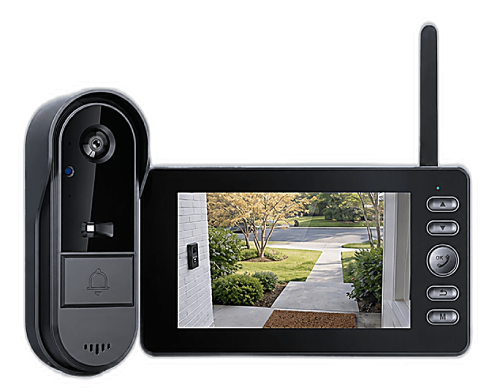
For most older adults, the best video doorbell is the simplest one: a camera that comes with its own indoor monitor and needs no WiFi, no app and no subscription. Your parent sees who is at the door on a dedicated screen, talks to them through two-way audio and never has to open the door to a stranger — with no smartphone, password or monthly bill involved. Our pick in this category is the Vital Smart Door Home.
Why "smart" doorbells often frustrate older adults
Most popular video doorbells are designed around a smartphone. To use one, you create an account, install an app, connect the camera to WiFi at the front door, grant notification permissions, keep the app updated — and, very often, pay a monthly plan to keep recordings. For a tech-comfortable 35-year-old that is a ten-minute job. For many people in their seventies or eighties, it is a wall of small steps that can go wrong.
And the failure points tend to show up exactly when it matters: the phone is in another room when the bell rings, the app logged itself out after an update, the WiFi signal at the door dropped, or the notification arrived too late to answer. The result is a doorbell that technically works but that your parent quietly stops using.
That is why families searching for a doorbell for an elderly parent so often end up asking a different question: is there a video doorbell that works without a smartphone at all? There is — and for many households it is the better product.
What matters most in a doorbell for seniors
When you are choosing for someone else, the spec sheet matters less than the daily experience. These are the features that make the biggest difference:
- A dedicated screen, not a phone. A portable indoor monitor lights up when someone approaches or rings. Nothing to unlock, no app to open.
- Two-way audio. Your parent can ask "Who is it?" and speak with a courier or visitor while the door stays closed and locked.
- Night vision. Evening is when most people hesitate to open the door. A clear view after dark removes the guesswork.
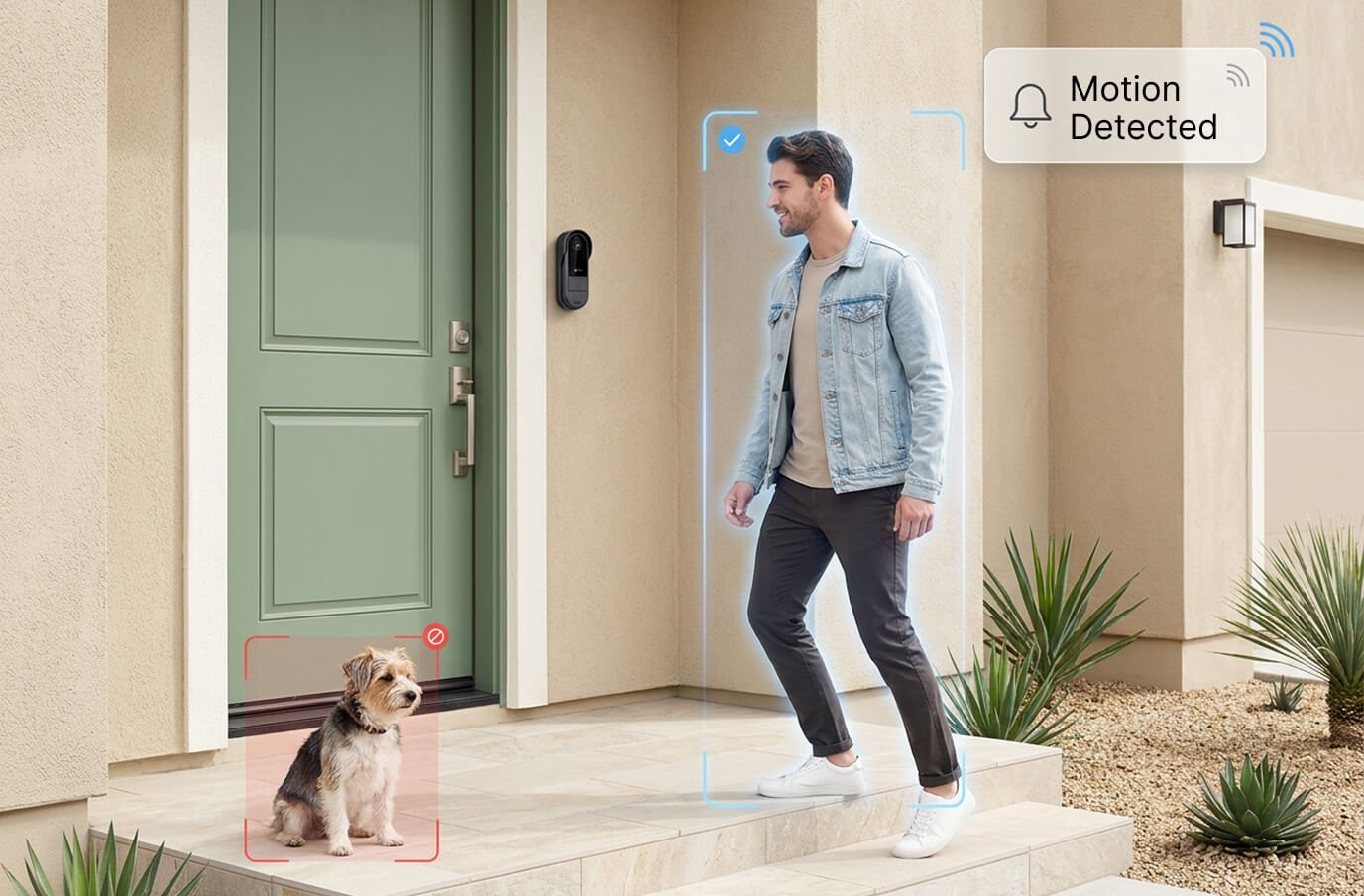
- Motion alerts. A heads-up when someone lingers at the door without ringing — useful against door-knockers who test whether anyone is home.
- No passwords, no account. Nothing to forget, nothing to be phished for, nothing to reset.
- No monthly fee. One purchase, no recurring charge on a fixed income.
- Easy, wire-free installation. Ideally something a family member can install in one short visit, without an electrician.
No-app vs. app-based doorbells for seniors
Both categories are good products — they simply solve different problems. Here is how they compare from an older user's point of view:
| What matters | No-WiFi doorbell + indoor monitor | WiFi / app doorbell |
|---|---|---|
| Smartphone needed | No | Yes |
| Passwords & account | None | Required |
| Works during internet outages | Yes | Usually not |
| Monthly fee | US$0 | Often, for recordings |
| See & talk to visitors at home | Yes, on the monitor | Yes, on the phone |
| Family viewing from far away | No (video stays in the home) | Yes |
| Setup steps | Mount, power on, auto-pair | App, account, WiFi, permissions |
If your main goal is helping your parent answer the door safely while they are at home, the no-app design wins on almost every line. We explain the technology in more depth in our guide to how no-WiFi video doorbells work.
Safety at the door: the everyday habits that help
A doorbell camera is an awareness tool, and it works best alongside a few simple habits. These are worth going over with an older relative when you install one:
- Look first, open second. Check the monitor every time, even for an expected visitor.
- Talk through the door. Use two-way audio to ask for a name, company and reason for the visit.
- Verify unexpected "officials." Utility workers, contractors or anyone claiming to be from an agency can wait outside while your parent calls the company using a number they already have — not one the visitor provides.
- Packages can stay on the step. A courier does not need the door opened to leave a delivery.
- It is fine not to answer. Seeing a stranger on the screen and simply not opening the door is a perfectly good choice.
As we covered in do video doorbells deter burglars, a visible camera at the door also helps discourage opportunistic visitors in the first place. The same look-first habit works for the youngest members of the family too; see our family door plan for teaching kids not to open the door to strangers.
Our recommendation: the Vital Smart Door Home
For an older parent or grandparent who just wants to see who's at the door and talk to them safely, the Vital Smart Door Home is the doorbell we recommend. It is built around exactly the priorities above. It is a two-piece kit: a wireless, rechargeable doorbell camera for outside and a portable indoor monitor that your parent can keep in the kitchen, living room or bedroom. The two talk directly over a private FHSS 2.4G link — so there is no WiFi, no app, no account and no monthly fee, ever.
- Live video and two-way audio on the monitor the moment someone approaches or rings.
- Night vision for a usable view after dark.
- Motion detection for visitors who linger without ringing.
- Works during internet outages, because it never relied on the internet.
- DIY setup in minutes: adhesive or screws, no electrician, no wiring. One buyer put it simply: "I'm not very tech-savvy but I had it installed in less than 15 minutes."
- Optional SD-card upgrade at checkout if you want recordings to review later.
Buyer feedback is strong — 4.8 stars across roughly 3,758 store reviews, with 97% saying they would recommend it — and our own feature-by-feature review scores it 4.6/5. The one thing to keep in mind is by design: video stays on the indoor monitor, so relatives cannot watch from their own phones. For a parent who simply wants to know who is at the door, that simplicity is the whole point.
Current pricing on the official site: 1 unit US$99.99 (regular US$222.20), or the 2-pack at US$89.99 each (US$179.98 total) — a popular choice when you are setting up both your own home and a parent's. Orders ship from New Jersey within 48 business hours to the USA and Canada, with a 30-day money-back guarantee. Stock on the discounted bundles is limited.
A simple setup checklist for family members
- Charge both units fully before the visit.
- Mount the camera at a height that frames faces, beside the door and away from direct rain.
- Place the monitor where your parent spends most of the day — and show them it can be carried room to room.
- Ring the bell together a few times and practice answering with two-way audio.
- Set a simple routine for recharging (for example, the same day each week).
- Add the SD card if you want recordings, and show where it lives.
Comparing other options first? See our roundup of the best no-WiFi video doorbells of 2026, or start on our Vital Smart Door Home overview.
Frequently asked questions
What is the best type of video doorbell for an elderly person?
For most older adults, the easiest choice is a video doorbell that comes with its own indoor monitor and needs no WiFi, no app and no account. They see the visitor on a dedicated screen and talk through two-way audio, without managing a smartphone, passwords or a subscription.
Can a senior use a video doorbell without a smartphone?
Yes. Doorbells that pair directly with a portable indoor monitor, such as the Vital Smart Door Home, work with no smartphone at all. When someone rings or approaches, the monitor shows the live view and the senior can speak to the visitor with the door closed.
Do no-WiFi doorbells work if the internet goes down?
Yes. A no-WiFi doorbell links camera and monitor directly over a private radio connection (FHSS 2.4G on the Vital Smart Door Home), so it never depended on the home internet in the first place. An outage or router problem does not stop it from working.
Is a no-WiFi doorbell hard to install for an older person?
No. It is wireless and rechargeable: the outdoor unit mounts beside the door with adhesive or screws, and the monitor pairs automatically. There is no wiring, no router step and no app setup, so a family member can usually install it in one short visit.
Can family members watch the doorbell remotely?
Not with a no-WiFi model: the video stays on the indoor monitor inside the home. That is the trade-off for having no app, no account and no subscription. If remote viewing by relatives is essential, a WiFi doorbell is the better category; if the goal is helping your parent answer the door safely, the no-app design is usually simpler.
Setting up a safer front door for a parent this month? Check today's Vital Smart Door Home discount on the official site →