Quick answer
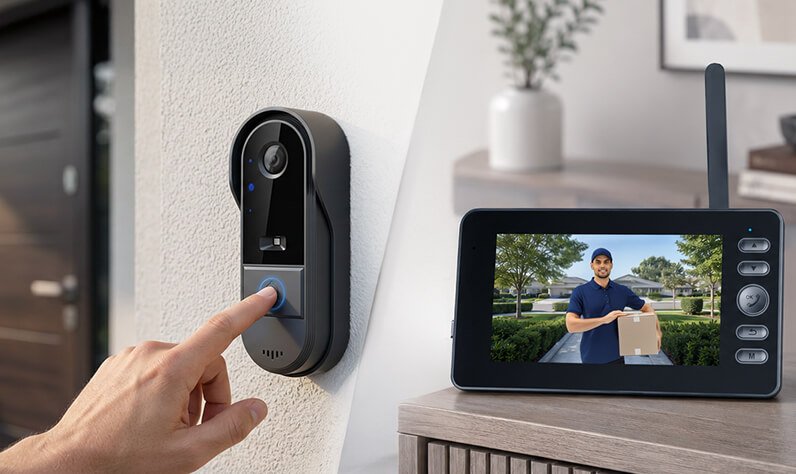
For renters, the best video doorbell is one you can install without tools, run without the building WiFi and take with you when you move. That means wireless and rechargeable, mountable with adhesive, and ideally with its own indoor monitor so you don't need an app, an account or a monthly plan. Check your lease first, point the camera only at your own door, and you are set. Our pick in this category is the Vital Smart Door Home.
Why renters struggle with most video doorbells
The most popular video doorbells were designed for homeowners. Many expect you to connect them to existing doorbell wiring, drill holes for a mounting plate, link them to your own WiFi and install an app. That's a fine plan for a house you own. In an apartment, a condo you rent or a shared duplex, each of those steps can turn into a problem:
- No existing doorbell wiring. Many apartment doors simply don't have one, so a wired model isn't an option. Our wired vs wireless video doorbell comparison explains the difference.
- Lease rules about alterations. Drilling into a door frame or exterior wall can cost you part of your security deposit.
- Weak WiFi at the door. In larger buildings the router is often far from the entrance, and hallways with concrete or steel can block the signal.
- Short stays. If you move every year or two, you want gear that packs up in minutes, not a setup you leave behind.
The good news: none of those problems apply to a wire-free, no-WiFi doorbell. It's arguably the best fit for renters of any category.
What to look for in a renter-friendly doorbell
Use this checklist when you compare models. The more boxes a doorbell ticks, the smoother life with your landlord will be:
| Feature | Why it matters for renters | Vital Smart Door Home |
|---|---|---|
| Wireless, rechargeable | No doorbell wiring needed, nothing to restore later | Yes |
| Adhesive mounting option | No holes in the door frame or wall | Yes (adhesive or screws) |
| Works without WiFi | No dependence on a weak or shared building network | Yes, FHSS 2.4G direct link |
| No app or account | Nothing to transfer or reset when you move | None needed |
| No monthly fee | One purchase, no extra bill on top of rent | US$0 per month |
| Portable indoor monitor | Answer from the couch, kitchen or bedroom | Yes |
| Remote viewing away from home | Useful if you need to watch from work | No (video stays on the monitor) |
That last line is the honest trade-off of the no-WiFi design. If watching the door from your office matters most, an app-based doorbell is the better category. If what you want is to see and talk to whoever is at your door while you're home, without wiring or apps, the no-WiFi route wins. We explain how it works in our guide to how no-WiFi video doorbells work.
Before you install: the lease and building checklist
A few minutes of homework keeps everything friendly with your landlord and neighbors:
- Read the alterations clause. Most leases mention drilling, painting or "fixtures." A removable, adhesive-mounted device usually sits well within the rules, but it's worth confirming.
- Ask for a quick written OK. A short email to your landlord or building manager ("I'd like to add a wire-free doorbell camera beside my door, no drilling") avoids misunderstandings later.
- Point it at your own doorway. Avoid aiming the camera into a neighbor's door, window or unit. That's good manners and, in many places, a privacy requirement.
- Check local rules if you'll record. Laws on recording, especially audio, differ by state and province. Live view is one thing; saved recordings of shared hallways may come with extra rules.
- Look at the building intercom. In many apartment buildings the street-door intercom stays as it is; your doorbell covers your unit's own door.
How to install a doorbell without drilling
With a wire-free kit, installation is a short job most renters do in one go. One Vital Smart Door Home buyer put it simply: "I'm not very tech-savvy but I had it installed in less than 15 minutes."
- Charge both units fully before you start.
- Pick the spot. Beside the door, at a height that frames faces, on a smooth surface and out of direct rain if the door is outdoors.
- Clean and dry the surface so the adhesive bonds properly; textured or dusty surfaces hold less well.
- Press firmly and give the adhesive time to set before relying on it.
- Power on the indoor monitor; it pairs with the camera automatically. No router, no app, no account.
- Test from where you'll actually be. Ring the bell and check the live view from the living room and bedroom, so you know the monitor works in your favorite spots.
When it's time to move, take the camera down, peel off the adhesive gently, and pack the kit. There is nothing to rewire and no subscription to cancel.
Why a doorbell camera is worth it in an apartment
Apartments get a steady stream of knocks: couriers, maintenance, neighbors, salespeople and the occasional stranger testing doors. A camera with two-way audio means you can answer every one of them with the door closed and locked. You can tell a courier where to leave a parcel, confirm that "maintenance" really is maintenance, or simply decide not to open. And a visible camera at the door makes your unit a less inviting target, a point we cover in do video doorbells deter burglars. With package deliveries now a daily event in many buildings, our look at deliveries and home theft explains why the front door matters more than ever.
Our recommendation: the Vital Smart Door Home
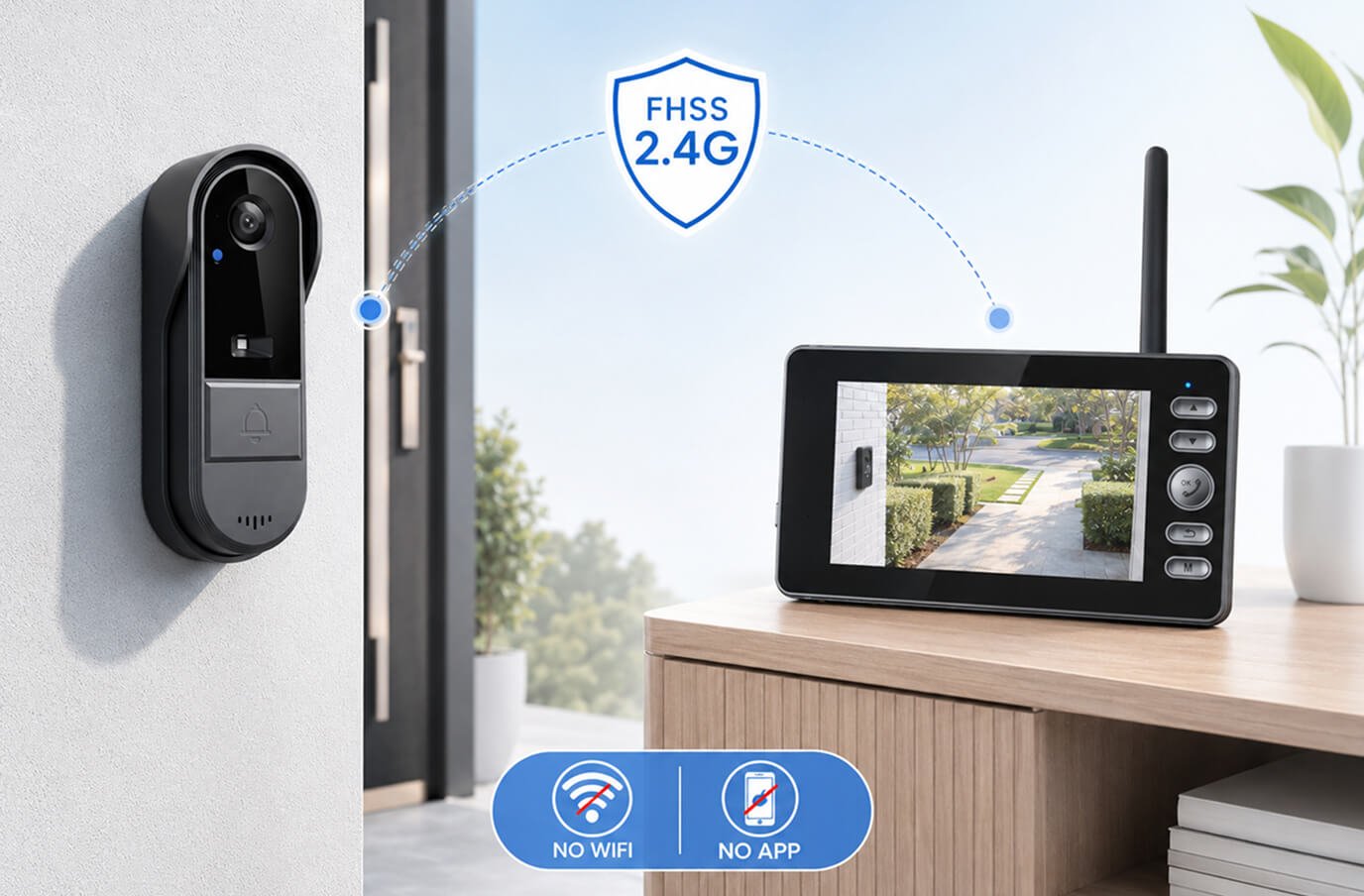
If you rent and want a video doorbell without drilling, wiring or a landlord negotiation over WiFi, the Vital Smart Door Home is the doorbell we recommend. It ticks the renter boxes one by one. It's a two-piece kit: a wireless, rechargeable doorbell camera for beside your door and a portable indoor monitor you can carry from room to room. The two connect directly over a private FHSS 2.4G link, so there's no WiFi, no app, no account and no monthly fee. It suits houses, apartments, condos and rentals alike.
- Live video and two-way audio the moment someone approaches or rings.
- Night vision for late deliveries and dim hallways.
- Motion detection for visitors who linger without ringing.
- Works during internet outages, because it never relied on the internet.
- DIY setup in minutes with adhesive or screws; no electrician, no wiring.
- Optional SD-card upgrade at checkout if you want recordings to review later.
Buyer feedback is strong, and our own feature-by-feature review scores it 4.6/5. The one thing to keep in mind is by design: video stays on the indoor monitor, not on your phone.
Current pricing on the official site: 1 unit US$99.99 (regular US$222.20), or the 2-pack at US$89.99 each (US$179.98 total), handy if a roommate, partner or family member wants one too. Orders ship from New Jersey within 48 business hours to the USA and Canada, with a 30-day money-back guarantee.
Still comparing? See our roundup of the best no-WiFi video doorbells of 2026, or start on our Vital Smart Door Home overview.
Frequently asked questions
Can I install a video doorbell in a rented apartment?
Usually yes, as long as it does not damage the property or break your lease. Wireless, rechargeable doorbells that mount with adhesive and need no wiring are the most renter-friendly. Check your lease or ask your landlord or building manager first, especially in shared hallways.
Do I need my landlord's permission for a doorbell camera?
It depends on your lease and where the camera points. Many leases restrict drilling or alterations, and some buildings have rules about cameras in common areas. A quick written OK from your landlord avoids problems and is easy to get for a removable, wire-free model.
How do you mount a video doorbell without drilling?
Choose a wireless, rechargeable doorbell and mount it with strong double-sided adhesive on a clean, smooth, dry surface beside the door. The Vital Smart Door Home can be mounted with adhesive or screws, so renters can skip the drill entirely.
Will a video doorbell work without the building WiFi?
A no-WiFi doorbell does not use the internet at all. The Vital Smart Door Home links its camera directly to a portable indoor monitor over a private FHSS 2.4G connection, so it does not depend on your router, the building network or a data plan.
Can I take my video doorbell with me when I move?
Yes, that is one of the main advantages of a wireless model. Remove the camera, take the monitor, and gently clean off any adhesive residue. There is no wiring to restore and no account or subscription to transfer.
Is it legal to record the hallway outside my apartment?
Rules vary by state, province and building, particularly for audio recording and shared spaces. Point the camera at your own doorway, avoid aiming it into neighbors' doors or windows, and check local rules and your building policy if you plan to record.
Ready for a doorbell that moves out with you? Check today's Vital Smart Door Home discount on the official site →