Quick answer
A no-WiFi video doorbell with an indoor monitor does one job extremely well: it lets you see, hear and talk to whoever is at your door from inside your home, day or night, with no app, no WiFi password, no account and no monthly fee, and it keeps working when the internet goes down. What it is not built for is watching your door from your phone while you are away or storing video in the cloud. If your main goal is answering the door safely at home, it is the simplest tool for the job. Our pick is the Vital Smart Door Home.
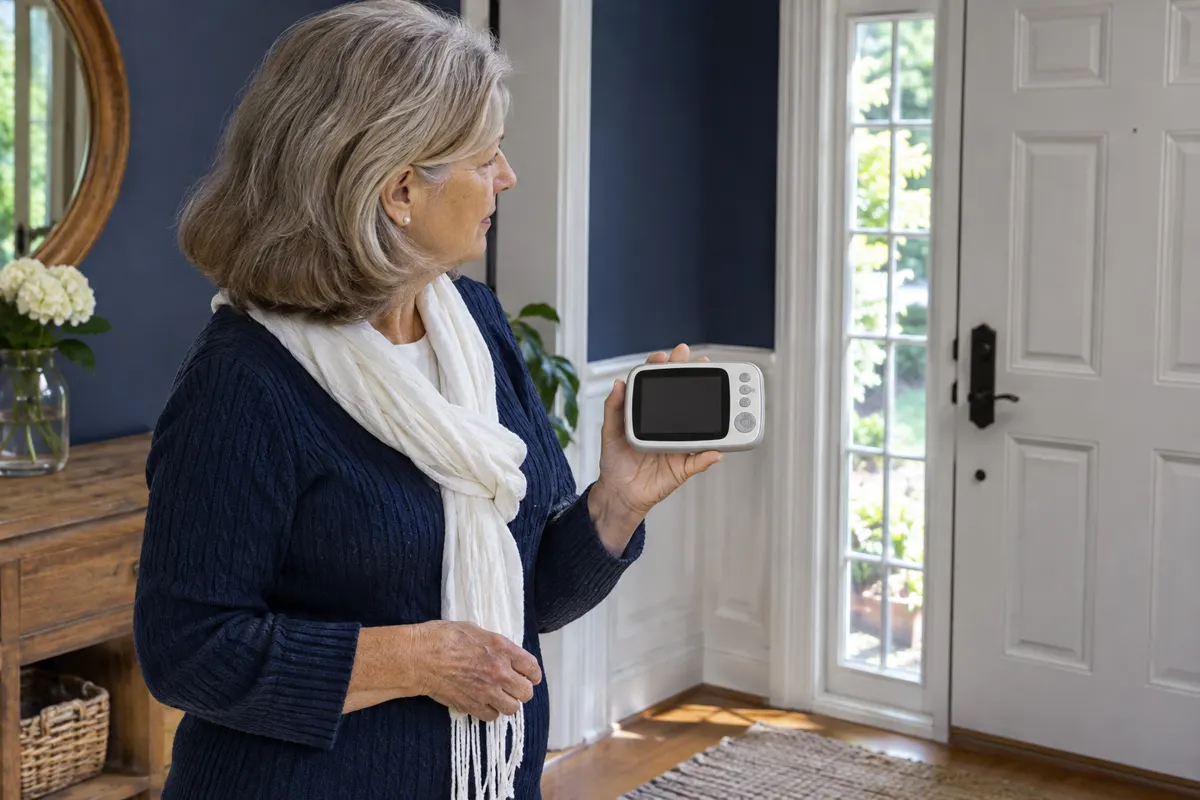
Video doorbells are often sold with a long list of features, and it is easy to assume every model does everything. Then a buyer unboxes a no-WiFi doorbell, looks for the app, and realizes it works differently. Or someone picks a WiFi model for a parent who never gets past the account setup. Both disappointments come from the same place: not knowing exactly what the device is built to do.
This guide sets clear, honest expectations for the no-WiFi type, the kind with an outdoor camera and a portable indoor monitor. When you know its strengths and its scope, you choose with confidence and get far more out of it. For the technical side of how the direct link works, see our complete guide to no-WiFi video doorbells.
What a no-WiFi video doorbell does well
- Shows you who is at the door, live. When someone presses the bell or approaches, the indoor monitor lights up with a live view, so you can decide whether to open the door before you touch the handle.
- Lets you talk without opening up. Two-way audio means you can tell a courier to leave the parcel, ask a stranger what they need, or politely decline a salesperson through the door.
- Works at night. Infrared night vision shows the porch after dark, which is exactly when an unexpected knock is most unsettling (our guide on what to do when someone knocks at night pairs well with this).
- Needs no app, account or WiFi password. Charge both units, switch them on and they pair automatically. Nothing to download, no logins to remember, nothing to update.
- Costs nothing per month. You pay once. There is no subscription to keep basic features working.
- Keeps working when the internet does not. Router restarts, outages and a weak signal at the door do not matter, because it never uses your network.
- Keeps your door off the internet. With no cloud account, there is no online login to leak. We explain why that matters in can video doorbells be hacked?
- Installs without tools or an electrician. It is wireless and rechargeable, and mounts with adhesive or screws, which suits renters.
What it is not built to do
None of these is a flaw; they are simply outside the job a no-WiFi doorbell is designed for. Knowing them up front means no surprises:
- No phone alerts or live view when you are away. The picture goes to the indoor monitor, not to your phone. It is a tool for when you are home.
- No cloud video history. Live viewing is the core. If you want recordings, the maker offers an optional SD-card upgrade at checkout that stores video locally.
- No voice assistants or smart-home routines. It does not connect to smart speakers, apps or automation systems.
- It is not an alarm system. It does not call the police or a monitoring center. In an emergency, call 911.
- It cannot guarantee that crime will not happen. No security device can. A visible camera is a helpful deterrent, as we discuss in do video doorbells deter burglars?, and it works best with simple habits like locking up and lighting the porch.
- It needs charging. Both units are rechargeable, so a quick top-up is part of the routine. Exact battery life depends on how often the doorbell is used.
Can and can’t, at a glance
| Question | No-WiFi doorbell with indoor monitor |
|---|---|
| See who is at the door from inside? | Yes, live on the portable monitor |
| Talk to the visitor without opening? | Yes, two-way audio |
| See the porch at night? | Yes, infrared night vision |
| Need an app, account or WiFi? | No |
| Monthly fee? | No |
| Work during an internet outage? | Yes |
| Watch the door from your phone while away? | No; built for use at home |
| Record video? | Optional SD-card upgrade at checkout (local storage) |
| Work with smart speakers and routines? | No |
Who it suits best (and who needs something else)
A no-WiFi doorbell is a natural fit for older adults who want a simple screen instead of an app (see video doorbells for seniors), renters who cannot drill or wire, families with weak WiFi at the front door, people who value privacy, anyone tired of subscriptions, and people who work from home (see doorbell with monitor vs. app for remote workers). If your main need is checking your porch from the office or on vacation, a WiFi model with an app is the right tool for that particular job, and some households happily use one of each.
How to get the most from it
- Keep the monitor where you spend time, such as the kitchen or living room, and take it with you to the bedroom at night.
- Mount the camera at about chest height facing the spot where visitors stand, with the porch light on in the evening.
- Make charging a habit, for example every weekend, so it is always ready.
- Agree on a family door rule: check the monitor first, talk through the door, open only for people you expect. Our family door plan makes this easy for kids.
- Add the SD card at checkout if having recordings matters to you.
Our day-one setup guide walks through pairing and mounting step by step.
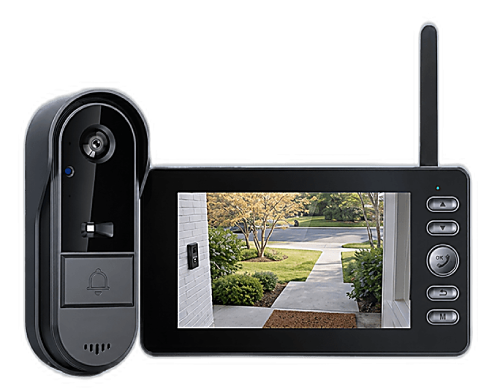
Our recommendation: the Vital Smart Door Home
If what you want is to see, hear and answer your door safely from inside, without an app, a password or a monthly bill, the Vital Smart Door Home is the no-WiFi video doorbell we recommend. It was designed around exactly the strengths in this guide, and it keeps that promise simple.
- Ready out of the box: charge, switch on, and the camera and indoor monitor pair automatically over FHSS 2.4G. No router, no app, no account.
- Everything you need at the door: live video, two-way audio, motion detection and infrared night vision on a portable indoor monitor you can carry from room to room.
- Renter-friendly DIY mounting: wireless and rechargeable, mounts with adhesive or screws, no wiring and no electrician.
- Private and outage-proof: nothing connects to the internet, so there is no online account to hack and nothing to go offline when the WiFi does.
- No monthly fee: pay once, with an optional SD card at checkout if you want recordings.
Our full review scores it 4.6/5. Current pricing on the official site: 1 unit US$99.99 (regular US$222.20), or the 2-pack at US$89.99 each (US$179.98 total). Orders ship from New Jersey within 48 business hours to the USA and Canada, and every purchase is covered by a 30-day money-back guarantee.
Want more background first? Start on our Vital Smart Door Home overview.
Frequently asked questions
Can a video doorbell work without WiFi?
Yes. Some models, like the Vital Smart Door Home, link the outdoor camera directly to a portable indoor monitor over a private wireless radio connection (FHSS 2.4G) instead of your home network. You see and talk to the person at the door on the monitor, with no router, app or account involved.
Can I see my no-WiFi doorbell on my phone when I am away?
No. A no-WiFi doorbell with an indoor monitor is built for answering the door while you are at home. It does not send alerts or video to a phone when you are out. If watching your door remotely is essential, a WiFi doorbell with an app is the right tool for that job.
Does a no-WiFi video doorbell record video?
The Vital Smart Door Home is built around live viewing out of the box. At checkout the maker offers an optional SD-card upgrade that adds local recording, stored on the device rather than in a paid cloud plan.
Does a no-WiFi doorbell work during an internet outage?
Yes. Because it never uses the internet, an outage, a router restart or a changed WiFi password does not affect it. As long as the camera and monitor are charged, the doorbell keeps working.
Will a video doorbell stop burglars?
No device can guarantee that. A visible doorbell camera is a useful deterrent and lets you see who is there before you open the door, which is a real everyday safety benefit. It works best alongside good habits such as locking doors, lighting the porch and not opening to strangers.
Who is a no-WiFi video doorbell best for?
People who mainly want to see and answer the door from inside the home without an app or a monthly fee: older adults, renters, families with weak WiFi at the door, people who value privacy and anyone who wants a simple device that keeps working when the internet does not.