Quick answer
FHSS (frequency-hopping spread spectrum) is a way of sending a radio signal that jumps rapidly between many channels in a pattern only the paired devices know. On a no-WiFi video doorbell, it creates a private, direct link between the outdoor camera and the indoor monitor on the 2.4 GHz band, with no router, no app, no account and no internet involved. That is why these doorbells arrive pre-paired, keep working during internet outages and cost nothing per month. It is the technology at the heart of the Vital Smart Door Home.
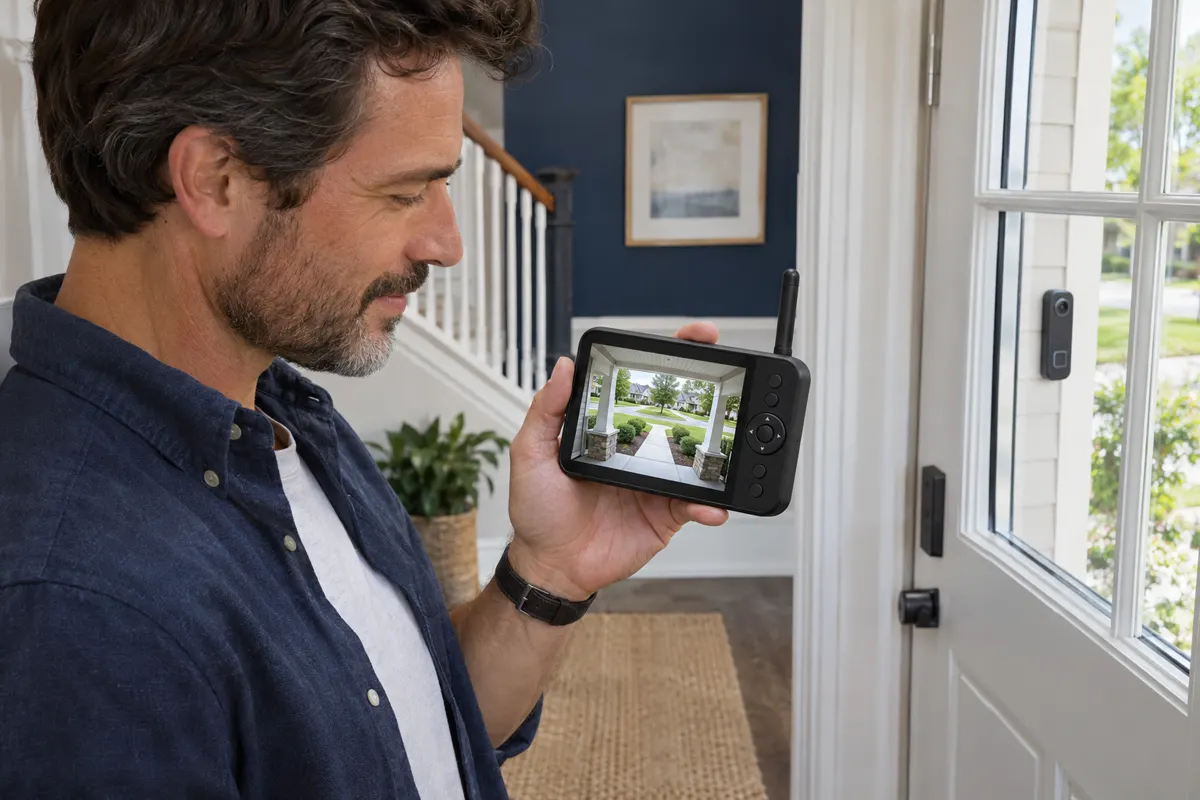
Turn over the box of a no-WiFi video doorbell and you will usually find four letters and a number: FHSS 2.4G. It sounds technical, and most product pages never explain it. Yet it is the single most important part of the device: it is the reason the doorbell needs no WiFi password, no smartphone and no subscription.
This guide looks at that one piece of technology in depth: what frequency hopping is, where the idea came from, why it suits a doorbell so well, what affects the signal and how to get the best picture from yours. For the broader comparison with WiFi doorbells, see our complete guide to no-WiFi video doorbells.
FHSS in plain English
Imagine two friends who want to talk across a crowded room full of other conversations. If they always stood in the same corner, the noise there could drown them out. So they agree on a secret list of spots and move together to a new spot many times a second. Even if one spot gets noisy, they are only there for a moment before moving on. Anyone who does not know the list has a hard time following them.
That is frequency hopping. The “room” is a radio band, the “spots” are narrow channels inside it, and the “secret list” is a hopping pattern shared by the camera and the monitor when they are paired at the factory. The signal is spread across the whole band over time, which is where the name spread spectrum comes from.
What the “2.4G” part means
“2.4G” refers to the 2.4 GHz band, a slice of radio spectrum that regulators such as the US Federal Communications Commission (FCC) set aside for license-free use by consumer devices. It is the same band used by many WiFi routers, Bluetooth headphones, baby monitors, cordless phones and even microwave ovens. Because so many devices share it, techniques that cope well with a busy band are valuable, and frequency hopping is one of the best known.
| Technology on 2.4 GHz | What it connects | Needs your router or internet? |
|---|---|---|
| WiFi | Devices to your home network and the internet | Yes |
| Bluetooth | Phone to headphones, speakers, watches (also uses frequency hopping) | No |
| FHSS doorbell link | Doorbell camera directly to its own indoor monitor | No |
| Baby monitors and many wireless camera kits | Camera directly to a parent or viewer unit | No (for direct-link models) |
A surprising origin story
Frequency hopping has one of the most unusual histories in technology. In 1942, Hollywood actress Hedy Lamarr and composer George Antheil received a US patent for a “secret communication system” that hopped a radio signal between frequencies, inspired in part by the way player-piano rolls switch notes. The goal was to keep radio-guided torpedoes from being jammed during World War II. The idea was not put to wide use at the time, but the principle of hopping between frequencies later became part of military radios and, decades on, consumer technology. Bluetooth, for example, hops between dozens of channels many times per second.
Today the same principle is quietly at work in your hallway, carrying the picture from the porch to the monitor in your hand.
Why frequency hopping suits a doorbell so well
- It needs no network. The camera and monitor talk directly. There is no router to pair with, no password to type and nothing to break when the internet goes down. Our article on why WiFi doorbells keep disconnecting shows how much trouble that avoids.
- It shares a busy band gracefully. Because the link spends only a moment on each channel, interference on one channel is brief. That helps it live alongside your WiFi, your neighbors’ networks and Bluetooth gadgets.
- It can be paired at the factory. The hopping pattern is set when the units are made, so the doorbell arrives ready: charge, switch on and it connects.
- It keeps your door off the internet. With no cloud account, there is no online login to leak. Hopping also makes the signal harder to follow casually than a fixed-channel radio. We cover the privacy side in can video doorbells be hacked?
- It costs nothing to run. No servers in the middle means no subscription to keep the core features working.
What affects the signal (and range)
Every 2.4 GHz device, FHSS included, is affected by what stands between the transmitter and the receiver. Manufacturers of wireless camera kits commonly list the same factors:
- Distance: the farther the monitor is from the camera, the weaker the signal.
- Building materials: thick brick, stone, reinforced concrete and metal doors absorb or block more signal than wood and drywall.
- Metal and appliances: refrigerators, metal cabinets and large mirrors near the monitor can weaken the picture.
- Other strong 2.4 GHz sources right next to the monitor: a router or a running microwave a few inches away can cause brief glitches.
The maker of the Vital Smart Door Home does not publish an exact range figure, and real-world range always depends on the home. That is why the simplest, most reliable tip is to test before you mount.
How to get the best FHSS connection
- Test first. Before fixing the camera, hold it where you plan to mount it and check the live picture on the monitor from the rooms where you will use it most.
- Mind the door. A metal or steel door can block more signal; mounting the camera on the frame or wall beside it often gives a clearer link.
- Keep the monitor in the open. Put the monitor on a shelf or table rather than inside a cabinet, and a little away from the router and microwave.
- Raise the antenna if your monitor has one, and keep it upright.
- Keep both units charged. A low battery can weaken performance; a regular top-up keeps the link strong.
Just unboxed yours? Our day-one setup guide walks through charging, testing and mounting step by step.
FHSS: what it does and what it is not designed for
An FHSS doorbell is built for one thing: seeing, hearing and answering your door from inside your home. Because the link goes only to the indoor monitor, it does not send alerts or video to your phone when you are away, and it does not connect to smart speakers or apps. For many households that is exactly the point: a simple, private device that just works. If watching your door from the office is essential, a WiFi model is the right tool for that job, as we explain in what a no-WiFi video doorbell can and can’t do.
Our recommendation: the Vital Smart Door Home
If the idea of a private, direct radio link appeals to you, with no app, no password and no monthly bill, the Vital Smart Door Home is the no-WiFi video doorbell we recommend. Its FHSS 2.4G link is the whole design philosophy: the camera and monitor arrive paired and simply work together.
- Ready out of the box: charge, switch on, and the camera and portable indoor monitor pair automatically over FHSS 2.4G. No router, no app, no account.
- Everything you need at the door: live video, two-way audio, motion detection and infrared night vision on a monitor you can carry from room to room.
- Renter-friendly DIY mounting: wireless and rechargeable, mounts with adhesive or screws, no wiring and no electrician.
- Private and outage-proof: nothing connects to the internet, so there is no online account to hack and nothing to go offline when the WiFi does.
- No monthly fee: pay once, with an optional SD card at checkout if you want recordings.
Our full review scores it 4.6/5. Current pricing on the official site: 1 unit US$99.99 (regular US$222.20), or the 2-pack at US$89.99 each (US$179.98 total). Orders ship from New Jersey within 48 business hours to the USA and Canada, and every purchase is covered by a 30-day money-back guarantee.
Want more background first? Start on our Vital Smart Door Home overview.
Frequently asked questions
What does FHSS mean on a video doorbell?
FHSS stands for frequency-hopping spread spectrum. It means the doorbell camera and its indoor monitor talk to each other over a private radio link that jumps rapidly between many channels in a pattern only the paired units follow. It works without WiFi, a router, an app or an internet connection.
Is FHSS 2.4G the same as 2.4 GHz WiFi?
No. Both use the same 2.4 GHz radio band, but they are different technologies. WiFi connects devices to your home network and the internet. An FHSS doorbell link connects only the camera and its own monitor directly, with nothing passing through your router.
Will an FHSS doorbell interfere with my WiFi?
It is designed to share the band politely. Because the link hops across many channels and stays on each one only briefly, it is good at living alongside WiFi, Bluetooth and other 2.4 GHz devices. If you notice a choppy picture, moving the monitor away from the router or microwave usually helps.
Can someone hack an FHSS video doorbell?
There is no internet account or cloud login to break into, which removes the most common way connected cameras are compromised. Frequency hopping also makes the signal harder to follow casually than a fixed-channel radio. No technology is perfect, but keeping your door off the internet is a meaningful privacy advantage.
What affects the range of an FHSS doorbell?
The distance between the camera and the monitor and what stands in between: thick brick or concrete walls, metal doors, large appliances and metal furniture all weaken a 2.4 GHz signal. Testing the picture from where you plan to use the monitor before you mount the camera is the easiest way to find the best spot.
Does the Vital Smart Door Home use FHSS?
Yes. The Vital Smart Door Home links its outdoor camera directly to a portable indoor monitor over FHSS 2.4G, so it arrives pre-paired and works with no WiFi, no app, no account and no monthly fee.