Quick answer
A video doorbell usually drops off WiFi because the signal at the front door is weak: the router is far away and the signal has to get through walls and an exterior door. The other usual suspects are a 5 GHz-only network when the doorbell needs 2.4 GHz, crowded WiFi channels, a low battery or weak wired power, router changes and outdated firmware. Most of these can be fixed in an afternoon. If you would rather have a doorbell that never depends on your WiFi at all, we recommend the no-WiFi Vital Smart Door Home.
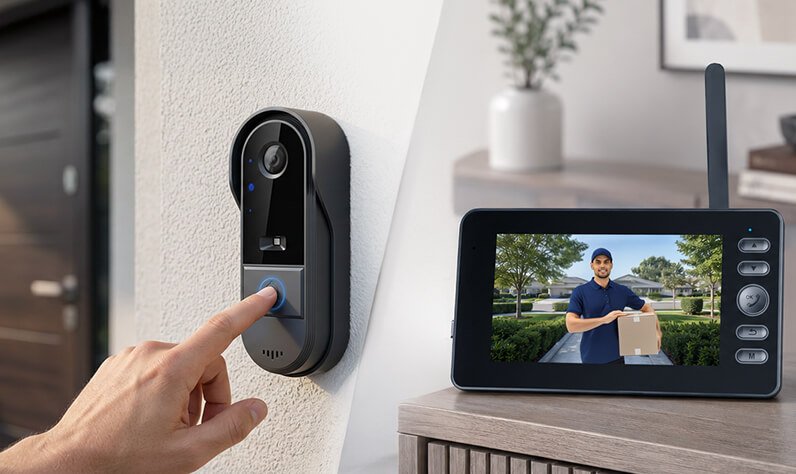
Someone rings, you grab your phone, and the app says the doorbell is offline. Again. By the time it reconnects, the delivery driver has gone and the “sorry we missed you” slip is on the mat. It is one of the most common frustrations with WiFi doorbells, and owners of every brand report it in support forums.
The good news: the cause is usually one of a short list, and most can be fixed without buying anything. Here is that list, in the order worth checking, with a simple test and fix for each.
Why the front door is a tough spot for WiFi
Routers usually sit in a living room, office or closet near the middle or back of the house. The doorbell sits on the outside of an exterior wall, often behind brick, stone, stucco or a metal door frame. Every wall, floor and appliance in between weakens the signal. A phone standing next to the router can show full bars while the doorbell outside is hanging on by a thread. Add video, which needs a steady upload stream, and a borderline signal turns into dropouts.
The 7 most common causes (and how to fix each)
1. Weak signal at the door
How to test: stand at the front door, close it, and run a speed test on your phone using the same WiFi network. Many doorbell apps also show a signal-strength reading in their device settings.
The fix: move the router to a more central or higher spot if you can, or add a WiFi extender or mesh node roughly halfway between the router and the front door, with as few walls in the way as possible.
2. Your network is on the wrong band
How to test: check your doorbell’s specifications. Many models connect on 2.4 GHz, which travels farther through walls; some support only 2.4 GHz. Then check your router settings.
The fix: make sure a 2.4 GHz network is switched on. If your router merges both bands under one name, some doorbells struggle; creating a separate 2.4 GHz network name for smart-home devices often solves it.
3. Crowded WiFi channels
How to test: dropouts are worse in the evening, when everyone on the street is streaming, or the live view is choppy even with decent signal bars.
The fix: in your router settings, try a different 2.4 GHz channel (channels 1, 6 and 11 do not overlap), and reduce the number of devices hogging bandwidth during the times the doorbell matters most.
4. Low battery (especially in cold weather)
How to test: the disconnections started as the battery level dropped, or when temperatures fell.
The fix: recharge fully, and recharge earlier in winter. Cold drains rechargeable batteries faster, and a doorbell running low may cut its connection to save power.
5. Weak power on wired doorbells
How to test: on a hardwired model, the chime works but video drops, or the doorbell reboots when it rings.
The fix: check that the doorbell transformer meets the voltage your model requires. An undersized transformer can be fine for an old chime but sag under video. If you are not comfortable with low-voltage wiring, ask an electrician.
6. Something changed on the router
How to test: the problem started after a new router, a new internet provider, a password change or a firmware update on the router.
The fix: reconnect the doorbell to the network using the app’s setup steps. If the new router uses newer security settings, check whether your doorbell supports them.
7. Outdated firmware or a glitch
How to test: nothing else explains it, and other owners of the same model report similar issues.
The fix: update the doorbell’s firmware and the app, restart the router, and as a last step try the reset procedure in the manual.
Causes at a glance
| Cause | Telltale sign | First fix to try |
|---|---|---|
| Weak signal at the door | Slow speed test at the closed front door | Extender or mesh node toward the door |
| Wrong band | Router on 5 GHz only or merged bands | Separate 2.4 GHz network |
| Crowded channels | Worse in the evening, choppy video | Switch to channel 1, 6 or 11 |
| Low battery | Drops as battery falls or in the cold | Recharge earlier in winter |
| Weak wired power | Chime works, video drops or reboots | Check transformer voltage |
| Router change | Started after new router or password | Reconnect through the app |
| Firmware or glitch | No other explanation | Update, restart, reset |
What if you just want the door to work?
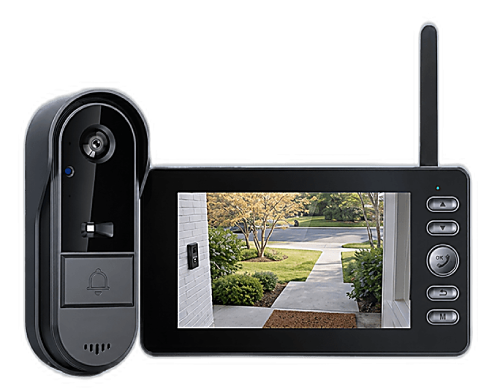
For many households, the reason they wanted a video doorbell is simple: see who is at the door and talk to them without opening it. If that is you, there is another route. Some video doorbells do not use your home WiFi at all. The outdoor camera pairs directly with an indoor monitor over its own wireless link (FHSS on 2.4 GHz, the same frequency-hopping approach used in baby monitors), so router placement, network names, password changes and internet outages simply stop mattering. We explain how it works in our no-WiFi video doorbell guide.
That is the design behind the Vital Smart Door Home we reviewed. The trade-off is clear: with no app, it is designed for answering the door while you are home, not for checking the porch from your phone when you are away. If watching from work is essential, keep tuning your WiFi with the fixes above; if “who’s there?” at home is the job, a no-WiFi kit removes the problem at the root. Our comparison of wired vs wireless doorbells covers the other options.
Our recommendation: the Vital Smart Door Home
If you are tired of “device offline” messages and mostly want to see and speak to whoever is at your door, the Vital Smart Door Home is the option we recommend. It was built to take WiFi out of the equation entirely.
- No WiFi, no app, no account: the camera talks straight to its indoor monitor over a direct FHSS 2.4G link, so there is no router setting to get wrong and nothing to reconnect after a password change.
- Keeps working during internet outages: because it never touches your internet connection, an outage at your provider does not take your doorbell down with it.
- Portable indoor monitor: live video in the kitchen, the living room or the bedroom, with two-way audio so you can talk through a closed door.
- Night vision and motion detection: a usable view of the porch after dark.
- No monthly fee and a quick DIY install: pay once; both units are wireless and rechargeable, with no wiring and no transformer to worry about.
Our full review scores it 4.6/5. Current pricing on the official site: 1 unit US$99.99 (regular US$222.20), or the 2-pack at US$89.99 each (US$179.98 total), handy for a front and back door. Orders ship from New Jersey within 48 business hours to the USA and Canada, and every purchase is covered by a 30-day money-back guarantee.
Want more background first? Start on our Vital Smart Door Home overview.
Frequently asked questions
Why does my video doorbell keep going offline?
The most common reason is a weak WiFi signal at the front door, because the router is usually far away and the signal has to pass through walls and an exterior door. Other frequent causes are a 5 GHz-only network when the doorbell needs 2.4 GHz, crowded WiFi channels, a low battery or weak wired power, router changes such as a new password, and outdated firmware.
Does a video doorbell need 2.4 GHz or 5 GHz WiFi?
Many video doorbells connect on the 2.4 GHz band, which travels farther through walls, and some support only 2.4 GHz. Check your model's specifications. If your router combines both bands under one network name, the doorbell may struggle to connect or stay connected.
Will a WiFi extender fix my doorbell disconnecting?
Often it helps. Placing an extender or a mesh WiFi node between the router and the front door, ideally with a clear path to the door, can strengthen the signal where the doorbell sits. Test the signal at the door with your phone before and after.
Can cold weather make a video doorbell disconnect?
Cold weather can drain rechargeable batteries faster, and a low battery can cause a battery-powered doorbell to drop its connection or stop responding. Keep it charged, especially in winter.
Is there a video doorbell that does not need WiFi?
Yes. Some video doorbells pair the outdoor camera directly with an indoor monitor over their own wireless link instead of your home network, so router problems, password changes and internet outages do not affect them. The trade-off is that they are designed for seeing and talking to visitors while you are home, not for watching from your phone while you are away.